

The Sabre takes a bit of room on your desktop at over 20 inches wide. They keyboard is matte black, but has curved edges, making it semi-octagonal (perhaps it was inspired by Capricans). The keyboard has a comfortable rubberized wrist rest, and employs a standard flat keyboard layout, using the new “large Delete key” home group rather than the classic “obsolete Print Screen” layout. The function keys are grouped by fours instead of threes like the Logitech Wave keyboard (reviewed here). To the left of the standard keyboard keys is a 3×3 grid (total of nine) of customizable OLED buttons, which we will explore later. The keyboard also has a standard numerical pad, and the blue numlock indicator LEDs are above this block.
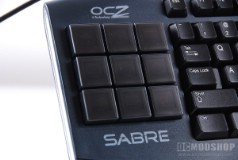
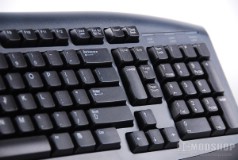
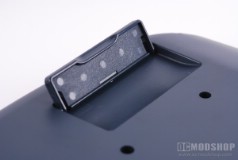
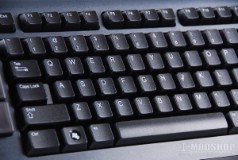
OLED bank, tilt riser and keyboard layout
The left and right sides of the keyboard glow blue with the help on internal LEDs. While they don’t help you read your keyboard any better, they do illuminate the surrounding desktop. One thing that we noticed that was lacking for a “gaming keyboard” was a USB hub, backlit keys or real-time display. The keyboard has all this eye candy but lacks some of the features that are practically standard on PC gaming peripherals. They keyboard however is very responsive and an absolute joy to type with.
On the next page we use the onboard software…


7 comments
with current (and only) available drivers, the OLEDs have a built in 'screensaver' of 3 minutes. Its a feature confirmed by OCZ on their forums to prevent the OLEDs frmo burning out.
If you press one of the OLEDs, they will all come on again, but you will invoke the associated function of the pressed OLED button in the process
Someone's got it wrong yet again! Why stuff with the Home End block of keys? I rely on their three vertical pairs, and the familiar space around them and the arrow keys, to quickly access vital commands by feel. They also constitute a handy set of three up down toggles, and I often assign ‘End’ (at centre bottom) as a Zoom or Snipe key in First Person Shooters. Disappointed!!
It's like this keyboard is more for work productivity than gaming. I'm way more likely to use the key in a work setting, as well as use the keyboard with some light in the room (as opposed to the preference for complete darkness for a game). I find the lack of backlit keys to be bizarre and inconvenient, considering it has side lighting which doesn't seem very useful.
@Phillip: That's why we break down the grade so you can see what matters to you. If the keyboard were perfect, then it would have received a "perfect" badge.
Chris / Hi Flare. Have you lkoeod at the Microsoft Sidewinder X6? Much cheaper and has red backlighting? Or the Logitech G110, also cheaper and with multi-colour backlights.
First rule for a keyboard is backlighting. Second, spill proof.
You're a shill. No backlit keys, no media controls, no USB ports, expensive as hell, managing software is buggy, OLED keys aren't greyscale…
Comments are closed.