

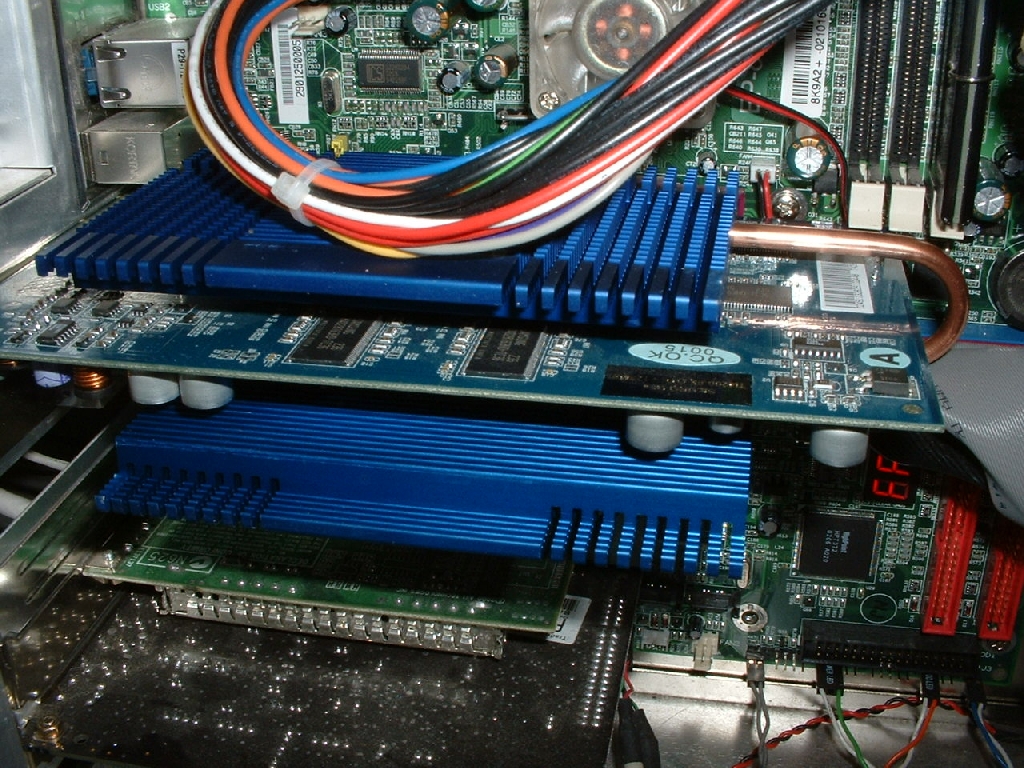
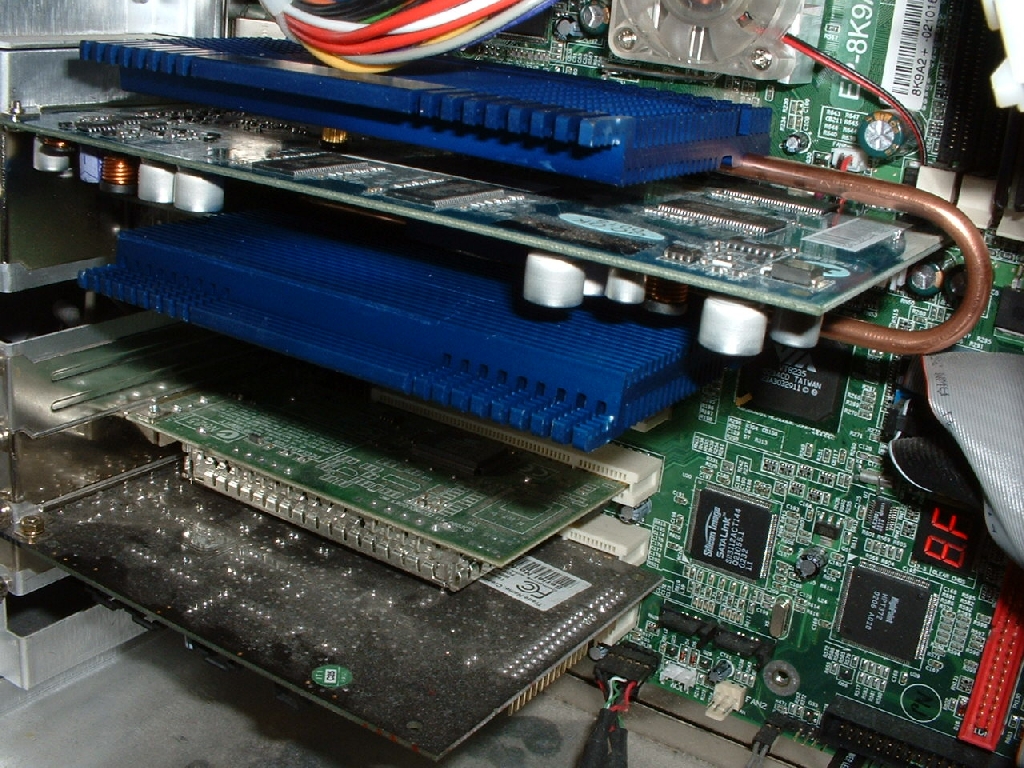
I have heard that some motherboards have components on them that get in the way of these coolers however mine installed just fine. I just popped the video card back into place and screwed it in tight so it wouldn’t go anywhere. After using the video card for a few weeks with the stock cooling that sounded like a blow dryer I was getting really irritated. I pushed the power button and there was silence again, the only thing I could really hear was the northbridge fan which will be changed to passive soon as well.
Test Bed
- EPoX 8K9A2+ (review to come)
- 1800+ Athlon XP
- 60GB Seagate Barracuda IV HDD
- Corsair 512MB PC3200
- Abit Geforce 4 Ti4200 OTES 8x AGP 128MB
- Cooler Master ATC-101-SX2
- Generic 300w PSU
- Sound Blaster Live! Value
- ATi TV Wonder VE
- Plextor 40x12x40 CDRW
- pioneer 16x DVD
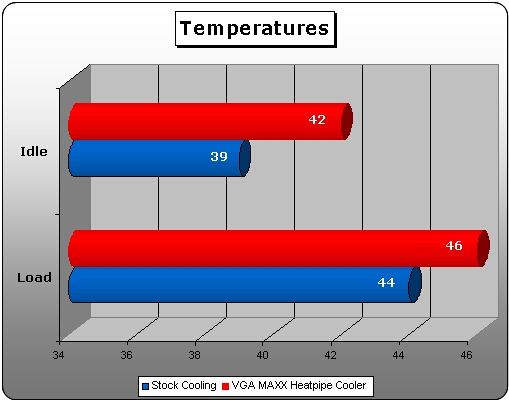
To test this VGA MAXX Heatpipe Cooler I entered the BIOS and let it sit for 20 minutes so that I could get a good idle temperature. After getting the idle temperature I booted up windows and ran 3DMark2001SE four times through. The idle temperature while using the OTES cooling was 39 and the idle temperature while using the VGA MAXX was 42. After running 3DMark2001SE I took the temperature again and with the OTES cooling it the temperature was 44 degrees which is pretty good. Using the VGA MAXX the temperature was 46 degrees which is only 2 higher than the OTES. As you can see the VGA MAXX Heatpipe Cooler does a great job cooling the video card while only being a little bit hotter than the loud OTES.
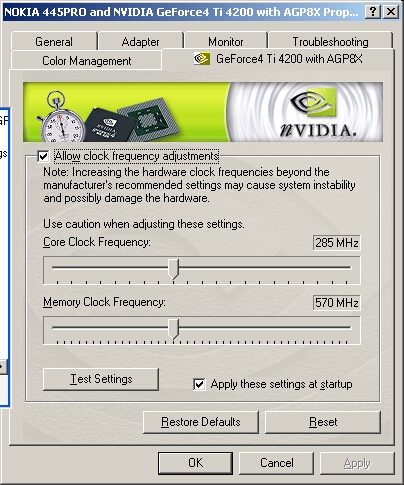
The stock cooler was designed to provide superior cooling for overclocking purposes. I was interested to see if this cooler would make it so I couldn’t overclock as far as with the OTES. Before I booted with this cooler I clocked the card back down to the stock speed which was actually the speed of a Ti4400. After running the temperature testing I started to overclock the video card again slowly. With the OTES cooling system that was provided with the video card I was able to overclock to 295/580. After installing the Cool MAXX I was only able to get to 285/570 which is only a 10MHz loss on both the core and memory. This loss is a very acceptable tradeoff for the silence it provides.
Conclusion
I was a little skeptical about using this product after using the ZM17-CU and seeing such poor results. This new video card cooler is much better than the old one and doesn’t really even hinder overclocking ability. The fact that no fan is needed for this heatsink is great because it is completely silent.
The stock OTES cooling system was really loud and this VGA MAXX just made it silent. I like the anodized blue color over the yellow color which the standard Zalman HPA-80 uses. I also like how extra parts and a screwdriver were included and that the manual was really detailed and easy to read.
The only real downside to this product that I could find was the fact that it won’t work for video cards without mounting holes. This heatsink is really heavy but shouldn’t pose any problem to the video card or your motherboard.
Overall I am going to give this product a 9.5/10 and am awarding it the OCmodshop Seal of Approval. I would like to thank Sharka Corporation for sending me this product to review. As of right now Sharka Corporation only has the regular Zalman HPA-80 in stock and will soon have the PcToys VGA MAXX. You can also pick up this product right now from CoolerGuys
Pros

- Completely silent
- Blue looks great on this video card
- Uses heatpipe technology
- Very good instructions
- Screwdriver and extra parts included
- Should work with all video cards that have mounting holes
- Easy to install
- Only minor loss in overclock
Cons
- Very heavy
- Wont work with cards lacking mounting holes

