
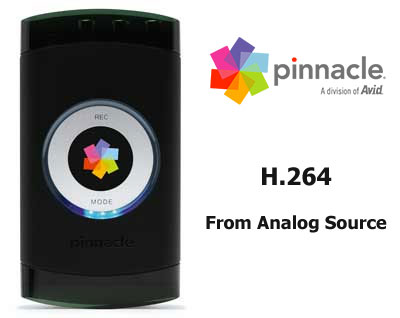
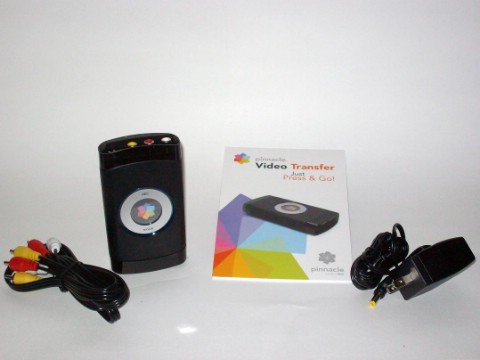
Let’s open the box. First off we find the PVT itself, protected by molded plastic. Behind this is an instruction manual, video/audio cables, and a power cord. There is also warranty info and an order form for a free issue of Video Maker magazine. Which I am planning to send in. Hey, you can’t really beat free unless they pay you to take it. And, I’m cheap.
I plugged the power supply into the PVT and slapped the other side into the nearest wall outlet. Which turned out wasn’t all that near and I had to move across the room to have enough juicetricity to power everything. I plugged the composite A/V cables into the camcorder and proceeded to plug the other end into the PVT. I then mounted my 2GB thumb drive and turned on everything. The PVT powers up by pressing the mode button. A blue light will come on to let you know it’s running. To turn it off you press the mode button again for a couple of seconds.
And then you select your record mode:
 |
 |
 |
||||||||||||||||||||
|
|
|
||||||||||||||||||||
 |
|
 |
I chose to record in “Best” mode to my 2GB flash drive. Meaning I would get around 1.5 hours of video out of it. So I pressed “Record” on the PVT and “Play” on the historical camcorder and walked away. As it turned out, I didn’t have much to do and easily became bored. There were no new episodes of South Park, Dirty Jobs, or Girls Next Door. And then I realized they had taken Family Guy off of my On Demand. So, pissed, I came back 15 minutes later and stopped the recording. I took the USB drive and plugged it into my computer. The video played back flawlessly with no dropped frames and a very crisp resolution. Which isn’t saying much for original analog video, but it says a lot for the PVT.



7 comments
I use this capture card as well, but I have a real problem with it. Every time I record with this card and a USB Flash Drive, the card would just stop recording, even in the middle of recording. I use composite cables to also record, and I thought switching to a new set of cables would solve the problem, but it didn’t. It would just freeze as soon as I hit the record button again. And after feeling the capture card, I noticed that it was slightly overheating. It is frustrating me to the point in which I just want to throw it out of the window and shred it to pieces. Can anyone help me with this problem? Should I get a new capture card? What can I do to fix this problem?
If it records in MPEG-4 then that means that I'd have to re-encode to MPEG-2 to burn to DVD… so not truly a DVD-R replacement. Great if you only watch from a PC, xbox 360 or ps3 tho
Vidiot_dude, as far as I can tell when you weigh the options of using this device and then using a third party DVD conversion software to using another capture device with direct to PC DVD capture, especially when it comes to price, I find that the Video Transfer surpasses in several ways. But the thing is, it is not a DVD-R replacement. It's used to back up video to several formats, and capturing quality video to your hard drive with the option of converting to DVD is simply one of them.
…but how does it do with Macrovision-protected VHS tapes?
alan, I guess that is for each individual to find out. I believe copying a macrovision-protected tape would constitute piracy, and should this product be capable of bypassing macrovision Pinnacle is probably not going to advertise it on the box.
Make sure your USB drive is fast enough! I used this with a slow USB drive and the video became out of sync and the sound jittery. Problem was resolved when using a good dual-channel USB drive, though.
Dave, I hate to sound like a total douche right now, But anyone who is running anything less that 2.0 should just toss their computer over a cliff right along with their pride. Some computers still have 1.1, but I wouldn't use those for anything but a mouse. Death to USB 1.1….
Comments are closed.