
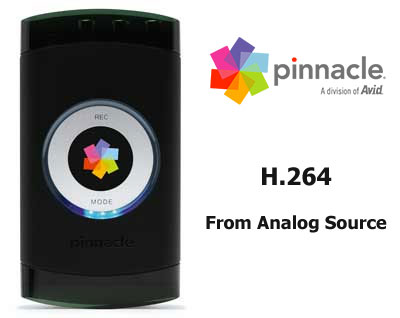
Remember the days of the old shoulder mount analog video cameras? They weighed in at 187 pounds and that rubber eye piece made the skin around your eye sweat like a fat man trying to get into a wetsuit. Not to mention the bulky VHS tapes and those short life batteries. Thanks be given that we have moved into the digital era.
It’s only been about ten years since we moved on from VHS to compact VHS-C and then progressively the video cameras got smaller until we ended up with Digital Video. 1/25th the size of those old VHS monstrosities, and the average weight of those old batteries. Thousands of families own them, and are happily transporting their video via I.Link, or Firewire, to their PCs every day to share the videos on YouTube or making DVDs to send to old Granny who just found out that we landed on the moon. She also slept with Charlie Chaplin.
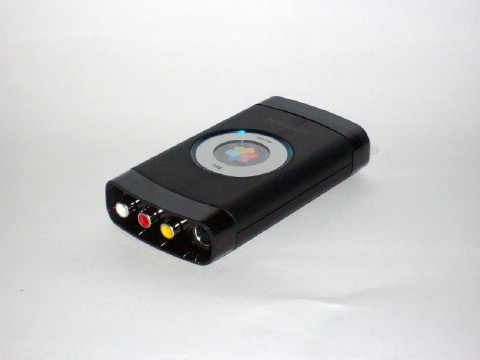

But somewhere in a cardboard box in the attic is a ton of old VHS movies with hours upon hours of memories filling them. You have two options here. You can either go to the Museum of Science and try to steal the one VCR they have on display there, or you can get Pinnacle Video Transfer and back your files up to a digital format in real time!
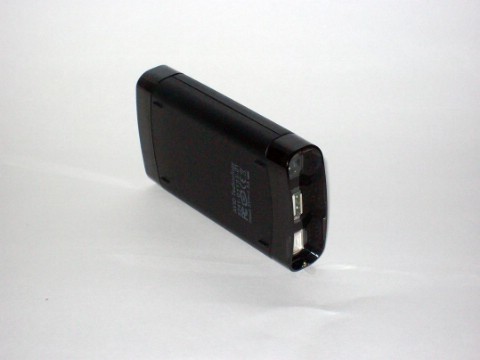
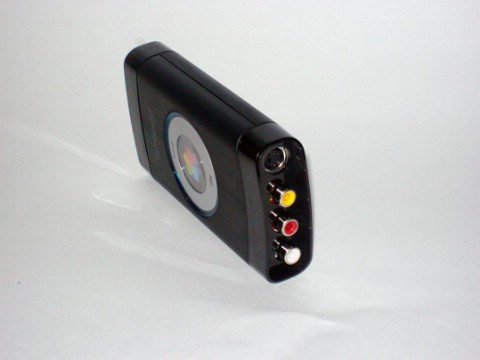
Pinnacle Video Transfer is the latest way turn analog video to digital video almost unattended. Simply plug in your relic camcorder via the Audio/Video jacks, connect a USB-enabled device such as a Flash Drive, select your mode of video quality, press record on the Video Transfer, and press play on your camcorder. The video transfers in H.264 Mpeg4 video at a 720×480 resolution. At 30 frames per second. That means no dropped frames and high quality video every time.
Luckily, I still have two of those old bulky camcorders that graced the store shelves for over $500 only 15 years ago. I got each of them at Goodwill for $12 each. Which should tell you something about that brand new Plasma TV you just unloaded for. I laugh.
Here is some extra info on the Pinnacle Video Transfer, or PVT as I will call it to save an assload of typing time:
- PC-less capture of your video to an iPod, PSP, USB 2.0 HD, or USB flash stick.
- One touch start/stop recording from any video source including a TV, DVD player, PVR, camcorder, set-top box or gaming console.
- High Quality MPEG-4 encoding in H.264 at up to 720×480 resolution.
- S-Video, composite video and stereo audio analog inputs.
- Compact size makes it perfect for traveling
- Recharges iPod battery during video transfer (cable not included)



7 comments
I use this capture card as well, but I have a real problem with it. Every time I record with this card and a USB Flash Drive, the card would just stop recording, even in the middle of recording. I use composite cables to also record, and I thought switching to a new set of cables would solve the problem, but it didn’t. It would just freeze as soon as I hit the record button again. And after feeling the capture card, I noticed that it was slightly overheating. It is frustrating me to the point in which I just want to throw it out of the window and shred it to pieces. Can anyone help me with this problem? Should I get a new capture card? What can I do to fix this problem?
If it records in MPEG-4 then that means that I'd have to re-encode to MPEG-2 to burn to DVD… so not truly a DVD-R replacement. Great if you only watch from a PC, xbox 360 or ps3 tho
Vidiot_dude, as far as I can tell when you weigh the options of using this device and then using a third party DVD conversion software to using another capture device with direct to PC DVD capture, especially when it comes to price, I find that the Video Transfer surpasses in several ways. But the thing is, it is not a DVD-R replacement. It's used to back up video to several formats, and capturing quality video to your hard drive with the option of converting to DVD is simply one of them.
…but how does it do with Macrovision-protected VHS tapes?
alan, I guess that is for each individual to find out. I believe copying a macrovision-protected tape would constitute piracy, and should this product be capable of bypassing macrovision Pinnacle is probably not going to advertise it on the box.
Make sure your USB drive is fast enough! I used this with a slow USB drive and the video became out of sync and the sound jittery. Problem was resolved when using a good dual-channel USB drive, though.
Dave, I hate to sound like a total douche right now, But anyone who is running anything less that 2.0 should just toss their computer over a cliff right along with their pride. Some computers still have 1.1, but I wouldn't use those for anything but a mouse. Death to USB 1.1….
Comments are closed.