7.1 – WHAT DO I NEED TO GO ONLINE WITH MY PS3?
If your PS3 is located in a place where the Internet is available over Ethernet (e.g. many university residence hall rooms), or in a place where you have access to Wi-fi (and you have a PS3 that supports Wi-fi, see 1.4 above), then you’ve got what you need.
If you don’t have Ethernet or Wi-fi available, then you need to buy access from a broadband ISP. The type doesn’t matter, as long as the speed is 1 megabit/second or faster. Typically, most people will use cable or DSL modems.
7.2 – CAN I GO ONLINE USING A DIAL-UP CONNECTION?
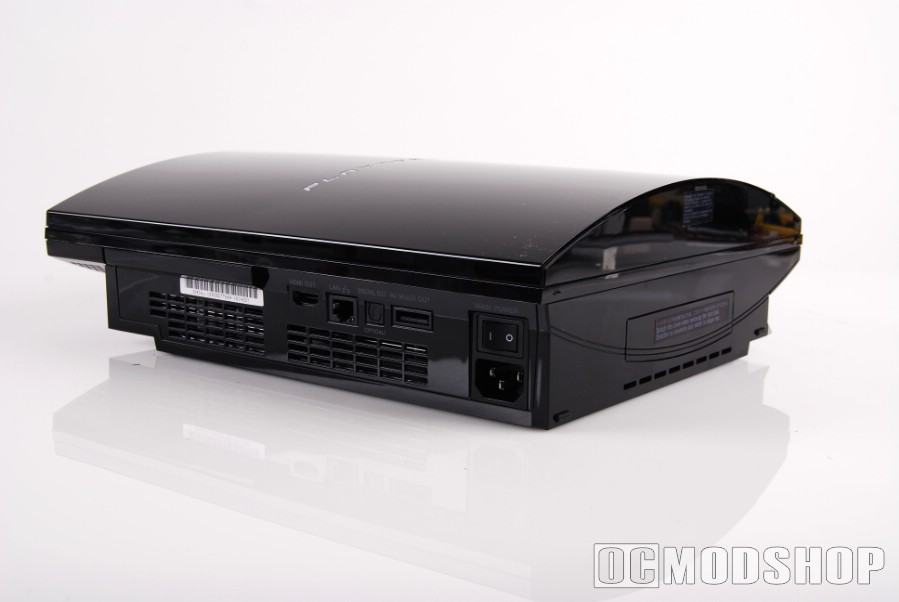
Sort of. The PS3 does not have a modem, unlike the PS2 network adapter. But if you have a computer that has a spare Ethernet port, and you are using Windows 2000 or later or Mac OS X 10.2 or later, then you can enable their Internet connection sharing features to share your dial-up connection over the Ethernet port.
Then you can run an Ethernet cable from your computer to your PS3, and set up your PS3 to connect over Ethernet. If you’re using a relatively recent computer (“recent” being after 2003 or so), then any old Ethernet cable will do. If you’re using an older computer, then you need what is called a “crossover” cable to make the connection.
For some reason, the PS3 does not like Mac OS X’s DHCP server. If DHCP isn’t working for you, and your computer is running Mac OS X, then you need to configure your PS3 to use the IP address 192.168.2.2, subnet 255.255.255.0, and gateway 192.168.2.1.
Keep in mind that this is really the last resort option to getting online. Modems just don’t have the bandwidth to play PS3 games, and many PS2 games, online. You can use it to download files from the PS Store, but the downloads will take a while. The best uses for modems are downloading firmware updates, browsing the Web, and using Folding@Home.
7.3 – CAN I GO ONLINE USING A USB MODEM OR ROUTER?
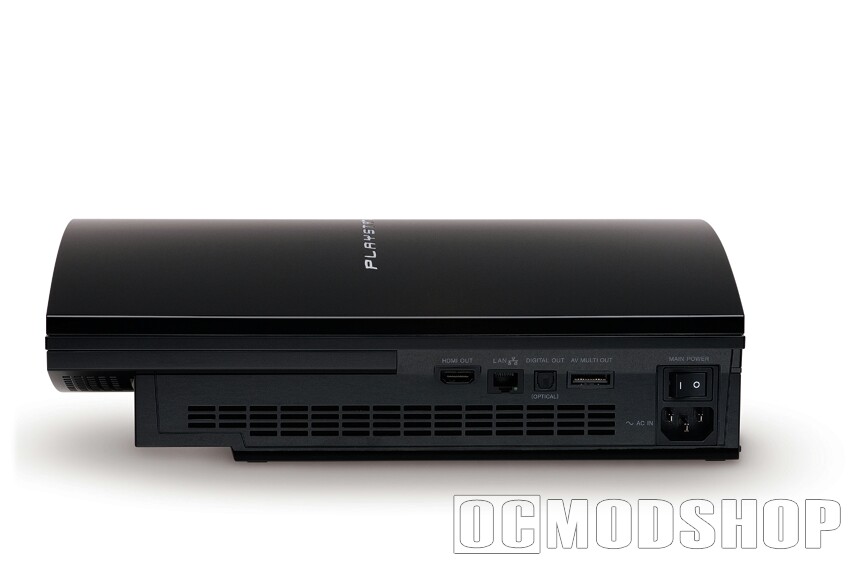
Not unless the router also supports Ethernet or Wi-fi. Modems or routers that only support USB will not work with the PS3. Fortunately such beasts are quiterare.
7.4 – HOW DO I PLAY PS1 GAMES ONLINE?
You can’t. The PS1 predates online gaming support. The PS3 does not have PS1 online play grafted onto it XBAND-style, and knowing Sony, they probably won’t add such a feature.
Some PS1 games, such as “Twisted Metal 3”, supported “networking” consoles together through the serial port. This is different from online play; the “networking” capabilities of the PS1 worked more like the link cable used by Nintendo’s Game Boys. Sony ended up dropping the serial port from later PS1s, and this feature was phased out. Obviously it is not supported on the PS3.
7.5 – HOW DO I PLAY PS2 GAMES ONLINE?
To play PS2 games online, you’ll need to create a PS2 network configuration. Unfortunately this cannot be done in the PS3 XMB. The software to do this is sold separately. When Sony shipped the PS2 network adapter, they included a configuration disc with the adapter. You can either use that, or use one of the PS2 games that came with configuration software, such as “SOCOM: US Navy SEALs”.
In the software, just use the default broadband network configuration. If you’re asked to choose an ISP, then always choose “other”. Even if you’re on wi-fi (the PS2 didn’t support wi-fi), it’ll just work and adapt to your PS3 network settings.
7.6 – DO I NEED A HEADSET TO PLAY ONLINE GAMES?
Unlike the original Xbox, you do not. However, having one is strongly recommended, because without one, you will not be able to communicate with other players. Any Bluetooth-enabled headset will do.
7.7 – ARE ONLINE GAMES SEGREGATED BY REGION?
The answer varies from game to game, but generally you don’t need to worry about this. **Very** few games segregate their user base by region or platform online, since history has shown that the online games that segregate their user bases, such as “Everquest”, tend to flop in every segment save for the one dominant segment.
(In the Everquest example, Sony Online segregated the Mac OS X, PS2, and Windows versions. The Mac and PS2 users wanted to play with Windows users, who vastly outnumbered Mac and PS2 users. But since Sony wouldn’t let them, they largely abandoned the game.)
In any case, this doesn’t matter too much for PS3 games, since PS3 games are not region locked and work in multiple resolutions, so if there is a region-segregated game out there that you’d like to play, then you can buy an import from that region and it will just work.
7.8 – HOW MUCH DO ONLINE GAMES COST TO PLAY ONLINE?
The answer varies from game to game. Always read the fine print before buying an online game. If there is no fine print, then you can assume the game is free to play online.
The PS3’s “native” online games network, the PlayStation Network, is free, both to get an account and play PSN games (such as “Warhawk”) online.
However, third parties are allowed by Sony to run their own proprietary gaming networks. These networks may cost money to join, or require a monthly fee to retain membership. For example, Square Enix charges a monthly fee to people who play “Final Fantasy XI” online through their PlayOnline network (which is actually the only way to play the game).
7.9 – DOES EVERYONE HAVE TO OWN THEIR OWN COPY OF A GAME TO PLAY ONLINE?
Yes. Unlike, for example, the Nintendo Game Boy Advance, if you want to play a multiplayer game online with others, then everyone who wants to play must own a copy of the game.