
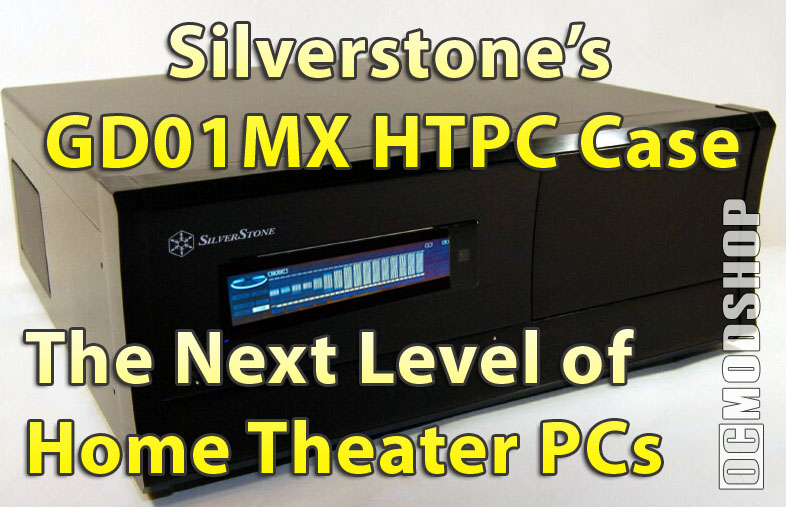
The included LCD software is similar to that used on other Silverstone cases, but is a newer version. The software included on the installation CD loaded right up, and the LCD was working within minutes. There are two portions to this software: the LCD display software and the IR application. The IR application has a little module that is “always on top” by default, and makes a sound whenever it receives any input from the Silverstone remote. These features can be turned off, but finding them takes some digging in the software.
Configuring the LCD is very simple, as the software has been tuned for home theater applications. You don’t have to manually configure every little screen, pixel, transition, scrolling, or any of that other stuff that you have do to with “general-purpose” LCD displays. Instead you just set your time zone, select a profile, and set other options. By default, the LCD is in “AUTO” mode, so it detects what software you’re running and displays information about it. If you close any home theater applications, then the LCD displays weather information and news (set in the software’s preferences), and PC stats like memory and CPU usage, etc.
The LCD Display
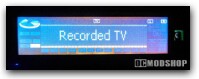
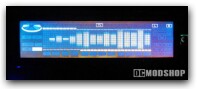
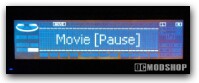
If you’re running Windows Media Center, then it displays everything you could possibly want, even before you ask it. The display changes when you’re on the Home page, settings, Guide, if you’re playing a DVD, watching TV, listening to music or radio… and it does this automatically. When you’re watching a TV show (live or recorded), the display shows the title of the show, and scrolls it if the title is too long. Media Center even downloads the chapter titles of your DVDs and shows them on the display, which is one of the coolest features of a HTPC. Since the LCD’s text is generated from a grid of square pixels, you can change the font size to your preferences.
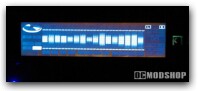
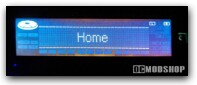
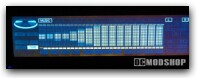
The multi-function display does more than just display text about your current task. There are some custom graphical elements that visually indicate total show length, how far along you are, and the current play status. There is a little elliptical “CD” icon that “spins” by rotating its six internal segments to indicate a DVD or CD is playing. There are also two programmable bar graphs above and below the text area to indicate time remaining or time elapsed of your particular DVD, video or audio file.
The Remote Control
The remote control is the same bundled with other Silverstone cases. It provides many generic functions that can be used with many different types of HTPC software (one of which is included on the Silverstone installation CD). The remote has standard features like numbers, Enter, Ok, but also has a bunch of buttons that you’ll probably never use, either (like web favorites).
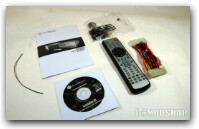
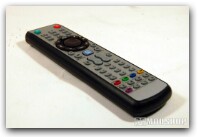
One of the main features of this remote is how it can double as a mouse or keyboard. The remote has an analog “hat-switch” that has 360 degrees of movement and can be toggled for use as a keyboard arrows or a mouse. The circle has different pressure sensitivities… the harder you press the more responsive the mouse pointer. There are buttons surrounding the main circle for use as a left click, right click and other featuers.
The navigation circle is located two-thirds up the length of the mouse, so it feels difficult to grip. A better placement would be near the bottom so the bottom of the remote fits in the palm of your hand. The remote also has a limited blast radius so it should have direct line-of-sight to the IR sensor, although the range is very good. The remote’s IR signal can be easily blocked by a person standing in the way, or if you’re at the wrong angle.
The remote is a nice back-up, but is no replacement for a true Media Center remote or Logitech Harmony. If you choose an off-brand Home Theater application, then this may be the only remote that works with it, although many remotes are now standard (up maps to a keyboard “arrow up”, OK is a keyboard’s “Enter”, etc).
Drawbacks
The LCD display is very unique, and has a similar look to what is available on today’s entertainment equipment, but it does have some drawbacks. The LCD is very bright… bright enough to be distracting in a dim home theater or living room. Because it is an LCD, it has a very limited viewing angle, so if you stand up and look down at it, the display just looks like a bright white rectangle. I did have some issues with the LCD “sticking” every now and then, but a software update fixed this right up. The display does hiccup every now and then, and is reliable 99% of the time.

