
The VFD (Vacuum Fluorescent Display) and integrated remote sensor is the main feature that polishes the professional quality of this case. The remote sensor is stealthed behind black acrylic, and the VFD has no problem shining through. They are so well integrated that it looks like OEM equipment. You CAN add these units to other cases (assuming they have an exposed drive bay), but they must be installed in a drive bay and do not look professional.
The VFD has additional power connections that must be installed in a particular way. The VFD must be connected to your motherboard’s power, motherboard power switch, and USB port all at the same time. The remote sensor is connected to the USB port and recieves input from the included remote control. The VFD gets its power directly from the power supply, and an adapter must be connected between the PSU and motherboard’s power connector.
The VFD is also connected to the front panel’s Power button, so this adapter must be plugged into the motherboard’s POWER SWITCH lead. If this seems confusing and unnecessary… well, it is. I have seen other front panel displays that operate just fine using a standard molex connector and they power on just fine when the system does.

The VFD software is made for home theater applications, and drives the display as well as processes remote input. I have messed with LCD and VFD displays with my computers for years, and they usually require weeks of tweaking, and additional software modules to get them working right. This software is all-inclusive, requires minimal configuration, and works perfectly right after installation.
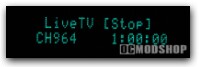
The VFD software shows the current task. The display shows you when it is recording something (even if you are watching something else), video playback information, spectrum analysis, or current screen if nothing is playing. When connected to the Internet, Media Center will automatically download the title and chapter of DVDs, which display when watching a movie.
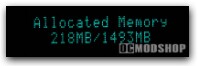
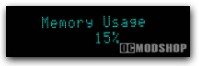
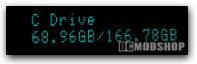
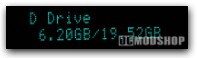
When Media Center is not running, then the VFD software will display generic PC information automatically, like processor and memory information, news feeds, weather, and more. The only parts of the software that require any configuration at all is setting up news feeds and location (for weather reports).
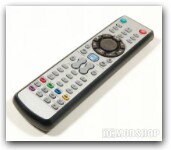
The remote can be operated in mouse or keyboard mode, and the VFD displays any input it receives from the remote. If in mouse mode, the VFD will display “mouse movement” or “mouse click”. In keyboard mode, it responds “keyboard up” or “keyboard left”. If you have enough patience, you can do any and all maintenance using the remote (unless the thing you’re fixing is the remote sensor itself), and you may want to install an on-screen keyboard for this purpose.
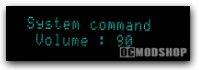
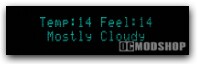
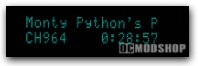
Most input comes from the remote’s analog hat, which has 360 degree freedom of movement. It can be a little too sensitive in keyboard mode, as you may hit the wrong direction.
Since the remote is completely IR (and no RF), then mouse mode can be a little slow, and sometimes gets stuck. Releasing and resuming the movement hat picks the cursor back up, however. Transmitting mouse info via IR is a lot of information, so it’s only a fault of the technology, and is still very functional.
The remote’s usability layout isn’t the best in the world. It provides a lot more functionality than a Media Center remote, but there is something to be said for simplicity. If you’re not using Windows Media Center, then you may have to do a lot more tweaking to get the buttons mapped correctly. The main button can launch Media Center, or can launch any other media software you have installed.
Sometimes the VFD software becomes “stuck” on a particular screen, notably when receiving mouse movement, but occasionally on other screens. Restarting Media Center usually fixes this. Hopefully an update to the VFD software will correct this issue, but this is the only flaw that breaks the otherwise excellent “appliance-ness” of the system.