Before doing any installation, you must remove a stability bar that runs down the center of the case. The bar is secured at the front, back and at the center drive cage with four low-profile screws. Once these screws are removed, the bar is lifted up.
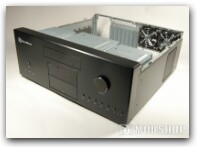
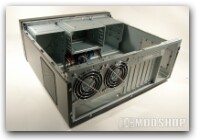
Silverstone states that a 6800 or 7800 will not fit in this case, which can be true depending on your particular video card. I was able to fit an Asus 6800 because the card’s power connector is perpendicular to the board. This was an extremely tight fit, and segments the case into two sections, which may complicate airflow. You must use a newer DVD drive with a shallow chassis or it will easily interfere with other video cards.
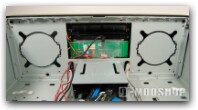
A 7600, X1600, or Geforce 6600 are excellent video cards for home theater, and have a smaller form factor that will not interfere. I don’t see this as a design flaw, per se, because other HTPC cases can have cumbersome limits on the hardware used (either forcing you to use a microATX motherboard, small power supply, etc).
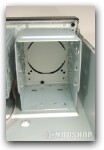
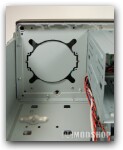
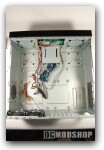
The inside of the LC16M is ample, and accommodates full-size equipment. You can fill this case with 6 hard drives, 1 DVD drive, a full size ATX motherboard and a standard power supply. It might appear rather cramped, but there is ample space between each component..
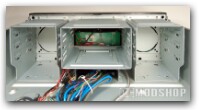
Hard drives are spaced to allow decent airflow around and in front, and all drive cages are separated from each other. The center drive cage appears under-utilized, but that is where you will naturally stuff excess cables and leads. It is highly recommended to use a modular power supply so you don’t clog the unit with unnecessary power leads. Serial ATA drives are also recommended, as the cables are small and easily routed.
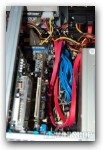
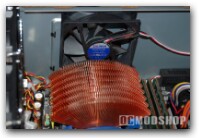
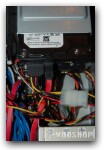
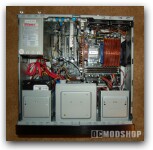
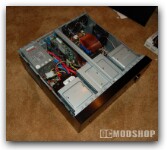
Once everything is installed, it can appear rather full, so make sure you route your cables in a way that cause minimal interference during maintenance. Upgrading hard drives is very easy, as the drive cages are easily removed and do not interfere with other components. The drive cages are anchored to the bottom of the case and secured with screws at the top. Once the top is unscrewed, the drive cage slides back and can be lifted up.
Here is a list of the hardware used in this installation:
- Chaintech nForce4 motherboard
- AMD Athlon 64 X2 3800+
- Zalman CNPS-7000
- Sony 16X DVD writer
- 1 GB Geil DDR 400 RAM
- 4x Seagate 250GB HDDs
- Thermalright chipset cooler
- Creative Soundblaster Live 24-bit
- Hauppauge PVR250 Video Capture card
- PowerColor X1600 video card
- Ultra X-connect 550W power supply
- Windows Media Center 2005