

The method in this guide may not actually be for you. If you have an extra $400 or so laying around then by all means go ahead and buy four new 1.5TB hard drives and upgrade volume1. That way you won’t have to deal with any of the aforementioned caveats. While the QNAP and Synology devices do support expansion of RAID5 arrays, it can be a long and tedious process. It may actually be easier (and quicker) to back up your existing data, create a new array, and restore your data back.
Some people are even scared of RAID 5 arrays nowadays. There is such as thing as an “unrecoverable read error” (URE) that could in theory make rebuilding a RAID 5 array impossible, losing all of the data in the array. All hard drive manufactuers guarantee a certain amount of reliability of any data written, and this statistic is referred to as URE. Once a bit is written, then one in every 1014 (100,000,000,000,000 or one hundred trillion) reads could be “unrecoverable”. Enterprise-class drives generally have a better URE rating, usually 1015 (one quadrillion) or better, thus their extra cost.
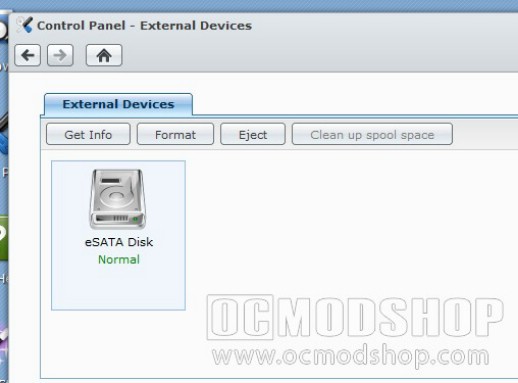
An inexpensive external drive can be a cheaper solution to expand your digital media library
The short of it is this: if a drive fails, a RAID 5 array will continue to function by calculating parity. When you go to rebuild, one of your other drives could misread something and return invalid data (the drive may not be “bad” but just can’t read a particular part of your data). If this happens during rebuilding then the entire build could halt. The larger the hard drives in your array translates into longer rebuild times and more data that could be potentially corrupted.
I know some RAID Nazis that will never use RAID5 or terrabyte hard drives because of this phenomena, but if your NAS is just housing music and videos then it is really overkill to be worried about this. This is the reason to have quality backups. Not only do I backup everything to BluRay media before it goes on the NAS, but I back up the important stuff every night. Even if I did encounter a URE then the worst thing that would happen is I would replace some hard drives, rebuild the array and restore my data. Easy Peasy.
I hope this article has helped you get the most of your NAS device. Linux-based appliances can be really flexible and powerful if you know how to use them, and getting the most out of external drives is a cost-effective means of expanding your NAS’s digital library.


1 comment
I've tried doing this but is messes up my Playstation. Now I have 2 "TV Shows" directories, and only one of them is live… the original one shows what USED to be there… like it was cached or something.
Comments are closed.