

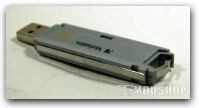
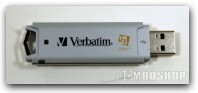
Verbatim’s Smart Drive scomes with U3 Launchpad, an intuitive interface that makes accessing U3 smart software and device features fast and easy. It also includes advanced password security system to prevent unauthorized access to the device. Additional smart software applications are available free to Verbatim smart drive owners. An extensive library of U3 smart applications ranging from backup, email and photo organizers, to music players and graphics applications can be downloaded from www.u3.com as well as directly from the Store’n’Go U3 Launchpad.
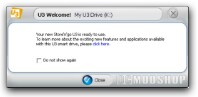
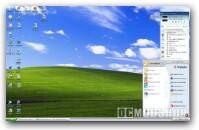
When you first plug in the unit, Windows immediately recognizes it, assigns drive letters, and runs the U3 launchpad. Unfortunately, TWO drive letters are assigned to the device, one for the pre-launched applications, and another for the writable portion of the drive. The U3 lanchpad places an icon on the bottom right of the desktop, next to other running application icons.
Clicking the small U3 icon brings up a panel similar to Window’s Start button. This interface implementation is not as intrusive as Ceedo’s interface, which takes up precious desktop space and sits right in the middle of your screen like a sore thumb. Applications can be run from this launch panel, or you can browse it like any other drive. Installed U3 applications are hidden and not directly viewable when browseing. If you turn on “show hidden files” within explorer, then you will see a hidden System directory, in which all the installed U3 apps are kept. The apps’ directories are named with a GUID, so you cannot easily tell which application is in a particular directory.
There is support for Linux and Mac OS, but the U3 Launchpad does not work on them. On a non-Windows OS, the Store’n’Go looks like any other flash media device.
When finished, it is advisable to “eject” U3 from the LaunchPad before physically removing the unit. Those failing to do so may find their USB ports or the running apps to lock up, which may require a reboot to fix.
The pre-installed apps
- ACDSee
- Pass2Go
- PowerBackup
- Mozilla Thunderbird
- Migo
- U Safe
- U3 Welcome
Verbatim has factory installed several applications on the U3 smartdrive, but the only ones that are even remotely useful are ACDSee and Mozilla Thunderbird. Migo and some of the other applications are trial versions. Verbatim has recently added a U3 version of McAfee’s virus scanner, which you can download from the U3 launchpad. There are many other useful (and free) portable U3 applications available for download, which adds to the drive’s functionality. One of the most robust is OpenOffice.org, a complete Office suite that easily rivals Microsoft Office and has good compatibility.

1 comment
How do you erase data on flash drive to
upload new data please.
Comments are closed.