
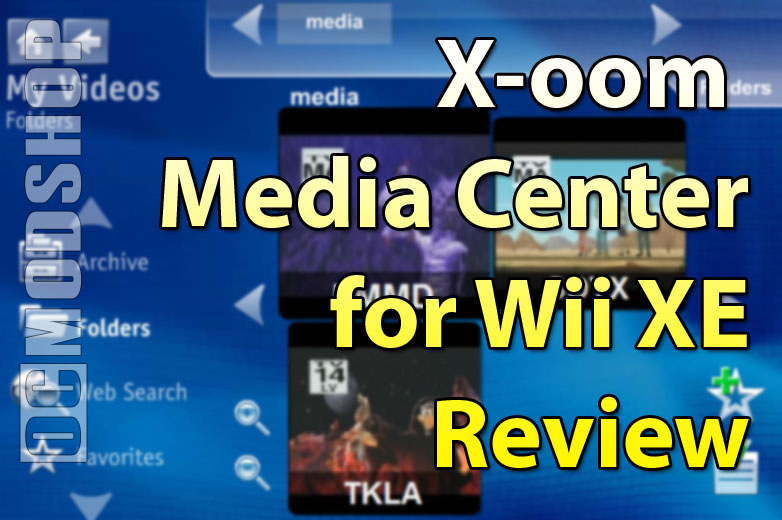
The interface looks nice, but doesn’t really have a lot of frills you would expect from a “full blown” media server. There are some “free” Media Center software suites that come with PC video cards, but these pretty much just pass on the files without re-encoding them. So, if your client doesn’t support all of the codecs, then your media may not play.
Media Center XE gets around this problem by re-encoding your music and videos into Flash in real-time. On one hand you have amazing compatibility, and on the other there are several long pauses when skipping through music, and video streaming can stop abruptly if the host PC is too busy. Watching HDTV content is out of the question, as the Wii only supports standard definition resolution. While it is theoretically possible to resize HDTV content, the real-time nature of the software makes it impossible to re-process.
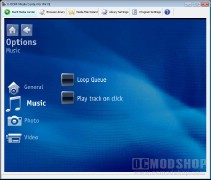
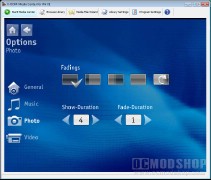
The software does work, however, and if you have a Wii connected to your TV, why not add some extra value to your console? There are a few things to keep in mind, though. You’ll need a PC on 24-7, so if you already have a Microsoft Home Server or Media Center PC serving video, then you’re set. Some people may not be so inclined to have a dedicated machine sucking up 300 watts of power all day just in case you want to watch downloaded videos. Linux-based NAS units are not compatible at all. You can still access them using this software, but not natively. You can map a network drive through a PC (which acts as a proxy), and then connect your Wii to the Proxy PC. Either way, you must still have a PC on all the time.
The software worked rather well after installing an online update (available here), although it is a “bare bones” solution. X-oom’s Media Center for Wii XE does have a few caveats, but makes accessing your online media relatively hassle-free, and is pretty much the only way to access your music and video library from the Wii.
This software can be difficult to find in stores. I’ve looked. The best way to get this software is right here.
 |
 |
 |
|||||||||||||||||||||||||||
|
|
|
|||||||||||||||||||||||||||
 |
|
 |
|||||||||||||||||||||||||||




1 comment
Actually you have another option that is free and quite easy to install. Check out http://www.orb.com. You need the interent channel installed on your Wii to use it. The music streaming works great and the video works but the quality isn't too good. Orb is cool because it works on anything with a web browser.
Comments are closed.