

Installation is very easy and straightforward, especially if you’re a PC nut. Just connect the AV connector of the VGA HD AV cable to the back of the Xbox 360. The console will not turn on without the SCART plugged in, so no worries about messing up your console. Then connect the VGA cable to the VGA input on your monitor or HDTV. If you are using computer speakers, you can plug the left and right RCA jacks into a 1/8” stereo audio adapter (like those used on many headphones) and plug into computer speakers. There is also an optical SPDIF port for audio connection to an amplifier supporting Dolby Digital. The kit also includes a VGA gender changer (in case you have a monitor with a permanently attached VGA cable, so the 360 cable will act like an extension).
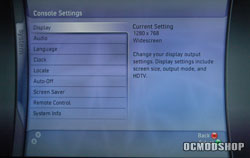
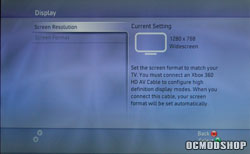
Turn on the console and then navigate to the System blade of the Console settings. Change your Display and Audio to your new settings and you’re ready to rock! If you are using a widescreen LCD monitor, make sure your aspect ratio and resolution is set properly (1280×768 instead of 1280×1024 for widescreen monitors), otherwise your picture could appear “stretched” or “squished”. The 360 will then test your settings (similar to changing resolutions within Windows). If you do not confirm the changes, then the 360 will revert back to its previous safe resolution.
Unfortunately 1600×1050 and 1900×1080 (1080p) resolutions cannot be selected, so basically the highest HD equivalent output of this cable it 720p. Other third-party cables advertise 1080i support, so they may unlock these higher resolutions (although individual games may max out at 720p).
 |
 |
 |
||||||||||||||||||||||||||||||||||||||||||||
|
|
|
||||||||||||||||||||||||||||||||||||||||||||
 |
|
 |
||||||||||||||||||||||||||||||||||||||||||||

