

Most NAS units do not need the fast data rates of today’s modern hard drives. Even the fastest units can’t even reach 60 megabytes per second, which even the slowest of hard drives is capable of doing. Even a slow high-capacity 1TB drive can deliver nearly 100 MB/s, so why not use “green” hard drives that have slower spindle speeds (and thus produce less heat)?
Because Synology says so, that’s why. I originally purchased some inexpensive energy-efficient Western Digital 1.5TB WD15EADS-00R6B0 drives for the upgrade, but they have huge red flags on Synology’s compatibility list (http://www.synology.com/enu/products/compatibility.php). These drives have a very high Load/Unload Cycle count, which can severely reduce its life in an NAS product, which is extraordinarially bad in a RAID configuration.
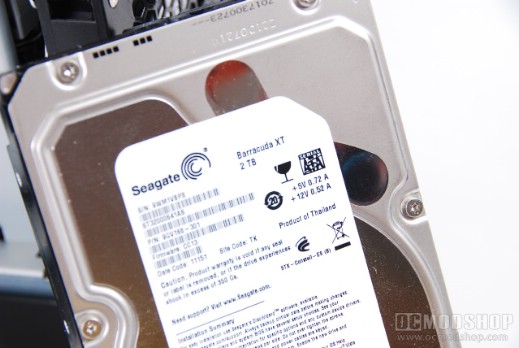
Seagate Barracuda XTs are quiet and reliable… just what an NAS needs
More expensive drives are either faster, or have a significantly lower data failure rate… the latter of which makes for a better RAID volume. If you have a bad drive in a RAID 5 configuration and another one has a data failure error during the rebuild, then you’re pretty screwed.
I finally settled on four Seagate ST3200641AS Barracuda XT 2TB drives. A single one of these desktop drives can easily produce transfer rates between 100 and 140 Megabytes per second, which at first glance is overkill for most NAS units. I selected these drives for their reliability, especially after reading how inexpensive “green” drives can be unreliable in a Synology NAS. It turns out that the Seagate drives also ran a few degrees cooler than the WD Blue drives they replaced.
On the next page we show you how to physically install your new HDDs. It’s not scary, we promise…



1 comment
It looks like you've got some of the fastest, most expensive Seagate drives you can get… and you're putting them in a slow NAS? Those drives in a RAID 0 or RAID 5 confiig could easily do 400 MB/s (or faster), and your NAS probably only delivers 40-50MB per second.
Comments are closed.