

Open up a web browser and log in to the DSM (DiskStation Manager). Then open up Storage Manager and click Volume 1. Click the now-active Manage button and you will be brought to a Wizard that allows you to Repair the array. Go through this wizard and the volume will start rebuilding.
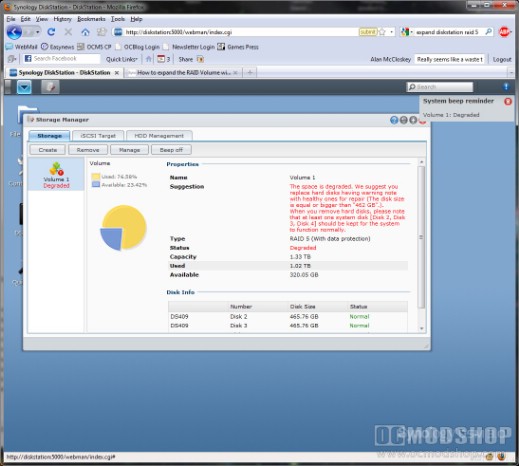
Array is degraded after physically replacing a drive. Time to run a repair
The rebuild process is very slow, as it took over 3 hours per 2TB drive. One might think that it would be quicker to backup your data, rebuild a new array, and copy the data back over, but you’d be wrong. Initializing an array takes a long time, and some users have experienced over 24 hours just to initialize an 8TB array… and that’s BEFORE you start moving data.
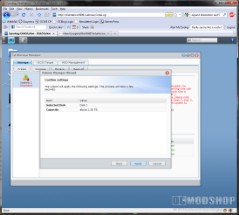
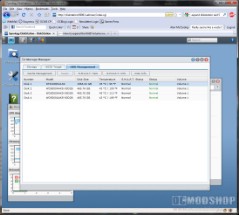
Left: rebuilding the volume. Right: First new drive sucessfully upgraded
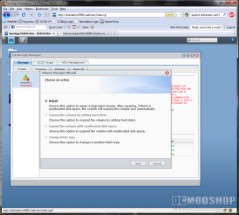
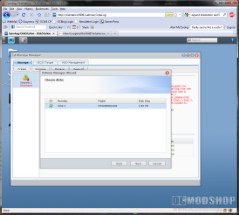
Repair Wizard: Select repair, then select the new larger drive, then let it run for 3 hours.
Rebuilding the array for each drive will take about 3 hours or so, but the last drive takes the longest.
Once you insert the last drive, you need to prepare for an extra-long waiting time. The system has to do two additional tasks on top of a normal volume rebuild. The system then checks parity across the entire array (all 8TB of it), which can take between 4 to 6 hours. Then the system will do an automatic expansion, which will take many more hours. Be sure do insert the last drive just before you go to bed and perhaps it will be done by noon the next day.
If for some reason the Diskstation did not expand, then you can manually do this in DSM. Go into Storage Manager, click Volume 1 and then click the Manage button. There is an option to expand the volume with unused space.
Now that your array is rebuilt, you want to start copying. On the next page we have some tips that will save you some headaches…



1 comment
It looks like you've got some of the fastest, most expensive Seagate drives you can get… and you're putting them in a slow NAS? Those drives in a RAID 0 or RAID 5 confiig could easily do 400 MB/s (or faster), and your NAS probably only delivers 40-50MB per second.
Comments are closed.