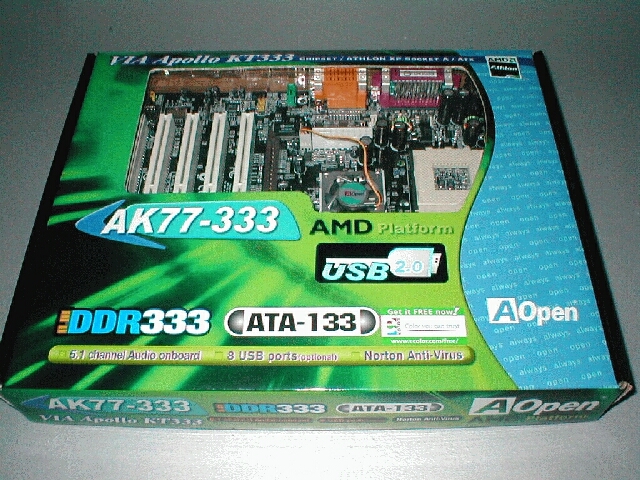
The AOpen AK77-333 motherboard comes in a cool box, just like its predecessor. It has a lot of specs and logos as well as a window so you can see the board.
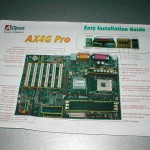
The AOpen AK77-333 motherboard comes with an easy installation guide and a manual. The easy installation guide is the main points of the motherboard that you need to know for installation and the manual is in-depth on everything.


Both are very well written and easy to understand, I like the fact that they include an easy installation guide because it has key points that you need. I had a much easier and quicker time finding information about jumpers, and dip switch settings than I would have looking through the manual.


AOpen provides a black ATA and floppy with the motherboard and a yellow ATA-133 one as well. It’s cool that they have one of the IDE and FDD cables black but it would have been better if the ATA-133 had matched. The motherboard also comes with 2 CDs, one is the installation CD which has drivers and applications and the other is Norton anti virus 2002 which is the best anti virus software out there in my opinion.


The AOpen AK77-333 motherboard is capable of handling 4 USB 2.0 devices like I mentioned before. USB 2.0 is suitable for high-performance devices such as high-quality video conferencing cameras, high-resolution scanners, and high-density storage devices. In addition, USB 2.0 supports old USB 1.0/1.1 software and peripherals, offering impressive and even better compatibility to customers. Below is a picture of the USB 2.0 cable which you connect to one of the headers on the motherboard, we will see those headers later.

The motherboard sports a black PCB just like the AOpen AK77 Pro(A)-133 motherboard Pro did. They call it the “Black Beauty PCB,” whatever you call it I say it looks good. The motherboard has an AGP slot, 5 PCI, and a CNR slot, like the AK77-Pro I would have rather seen another PCI however some people may get more use out of a CNR slot.

The AOpen AK77-333 has an aluminum heatsink fan combo on the KT333 northbridge so that it does not get too hot. I pulled off the heatsink to see that it was held on by thermal tape just like the AK77 Pro(A)-133 I am glad AOpen is using active cooling but having thermal compound or epoxy would be better than thermal tape. I removed the thermal tape so that I could get a good picture of the KT333 northbridge then reattached it with thermal epoxy.


USB 2.0 is controlled by the VIA VT6202 chip, you can see right above the chip there are 2 sets of blue jumpers, these are the 2 jumpers for the USB 2.0 header. Each one supports 2 USB devices but if you want to use all 4 you will need to get another USB 2.0 header. You can also see to the far left of the picture the USB 1.0/1.1 header if you want more than 2 USB ports which are built onto the board.
The AOpen AK77-333 comes with a die-hard BIOS with optional upgrade, this feature which you can upgrade to is a backup BIOS. You can install a 2nd BIOS chip which is useful incase your motherboard is infected with a BIOS virus you will have a backup. This would also be a good feature for overclockers who flash their BIOS a lot, the only bad thing is that it is not included.


The AOpen AK77-333 motherboard uses a DIP switch at the top of the board above the socket which controls the multiplier of the CPU. When all the switches are left in the middle the BIOS auto detects it. You can change the positioning of the switches for different multipliers if your CPU is unlocked. I do not like having to use DIP switches to change the multiplier it makes overclocking much more complicated than it needs to be. I would have liked to have been able to change the multiplier from the BIOS, it would have made overclocking a lot better.

Below on the left-hand picture is a shot of the socket area of the motherboard, AOpen is using the same heatsink fan combo that they used on the AOpen AK77 Pro(A)-133 motherboard. One thing that they changed, which I am very happy to see because it was one of the few things that was not good about the AK 77 Pro is they moved the ATX power supply connector away from the DIMM slots so that it can be easily plugged and unplugged while memory is installed. The socket looks to have a good amount of room around the socket just as the AK 77 Pro did. The DIMM slots are also nice and far away from the AGP slot so that you don’t have to remove your AGP video card to take out RAM.


The AOpen AK77-333 comes with the standard I/O layout, 2 PS/2, 2 USB, 2 serial, parallel, the onboard sound and game port which uses the AC97 codec. The sound from the onboard audio is not bad for everyday users which this motherboard is intended for but if you want a high quality sound you will want to get a sound card.

The jumpers are designed onto the board well, and where they should be. All of them are in the bottom front part of the motherboard, relative to the front of your case. The AOpen AK77-333 has many jumpers which means you have a lot of options. There is infrared, Wake On LAN, a fan header, the LED and switch jumpers for your case, CMOS jumper, and Dr. LED which is an optional diagnostic LED system. The motherboard also has an onboard PC speaker which I always like.