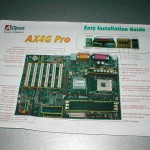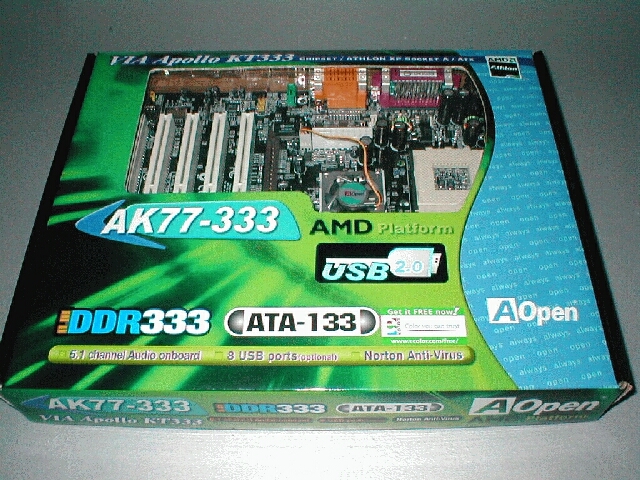
Overclocking with this motherboard was a task in itself, because AOpen does not focus on overclocking there are many features which overclockers need that are missing from the AK77-333. The AK77-333 uses DIP switches to change the multiplier of the CPU which is more of a hassle than if it was done through the BIOS.
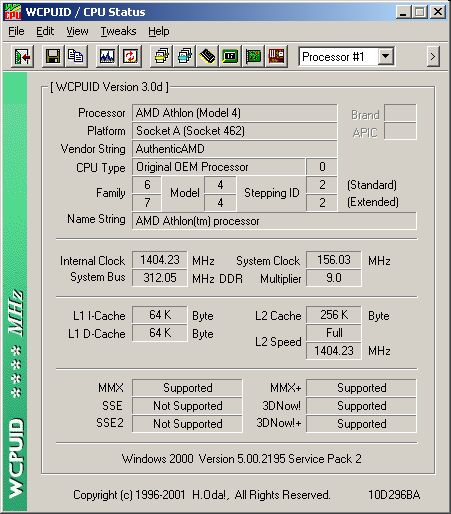
I was only able to push the FSB up to 156 and have it be stable, which is how high I was able to get the AK77 Pro(A)-133. I was able to boot into windows at 166 and run light things, however as soon as I loaded up Quake III my system locked up. After playing around with different settings I was able to get the system up and running at 9×156 which is 1404Mhz. Even when dropping the multiplier lower I was not able to reach a higher FSB.
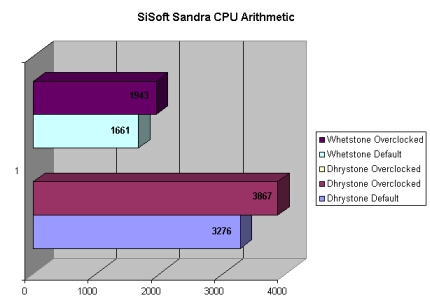
With the SiSoft Sandra CPU Arithmetic benchmarking after overclocking I did get some higher scores, about as much as I was expecting.
The SiSoft Sandra Multi-Media benchmarking yielded the same boost in scores while overclocked compared to the default speeds.

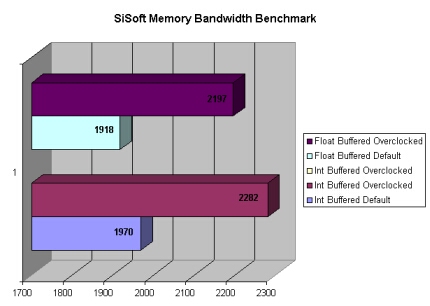
The SiSoft Sandra Memory Bandwidth benchmarking also got better results while overclocked as it should. If I had more options in the BIOS for tweaking the memory I could have gotten a lot better score.
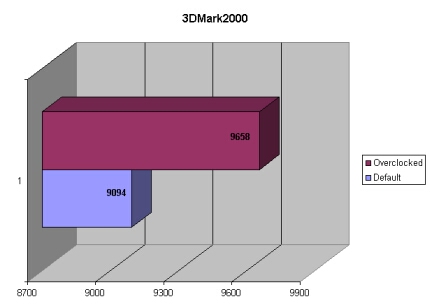
3DMark2000 scores also improved from KT266a to the KT333. Overclocked I was able to pull 564 point ahead of the default setting results.
3DMark2001SE had an increase of 397 point after overclocking, not very much but this is about the norm of score improvement when overclocking the CPU. 3DMark2001SE is mainly for testing of video cards which is why there is not a huge margin.

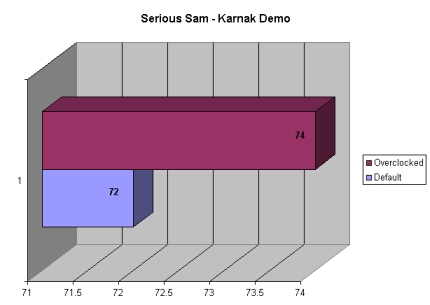
Serious Sam gained 2 FPS while overclocked compared to the results from the default speeds. Like I mentioned before Serious Sam does not usually gain in large numbers.
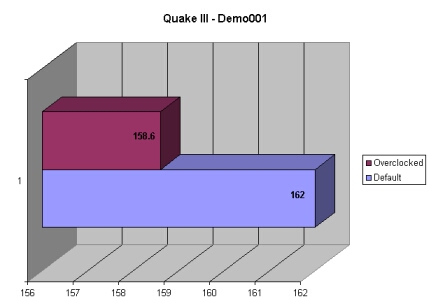
To my surprise Quake III actually lost 3.4 FPS when I rebenchmarked at the overclocked speeds. I ran the benchmarks a few times after rebooting to make sure that it wasn’t a fluke, and it wasn’t. I am not sure why there was a drop in the FPS but there was.
Conclusion
Having tested the AK77 Pro(A)-133 before this board I saw a few improvements. The ATX power supply connector was moved to a better location, a few memory-tweaking options were added, USB 2.0 was added, and of course the new KT333 chipset is being used.
The AOpen AK77-333 motherboard is much like the AK77 Pro(A)-133 both not being the best board for overclockers. Just because they are not the best overclocking boards does not mean that they are not good.
The Aopen AK77-333 has a lot to offer with its ATA-133, USB 2.0, dual BIOS capability, lots of room around the socket, and a cool looking PCB. I would recommend this motherboard to non-overclockers who want a great motherboard with a lot of features, if you are looking for an overclocking motherboard I don’t believe this motherboard would be the best for you. Overall I would give this motherboard an 8/10. I would like to thank AOpen for sending me this board to review.
Pros
- Black PCB
- USB 2.0
- Good price
- ATX power supply connection moved to a better place
- The board is very well laid out
- Has ATA-133 support
- Lots of room around the socket
- Onboard PC speaker
Cons
- DIP switches
- No onboard RAID
- No VDIMM adjustments
- Not enough memory tweaking options