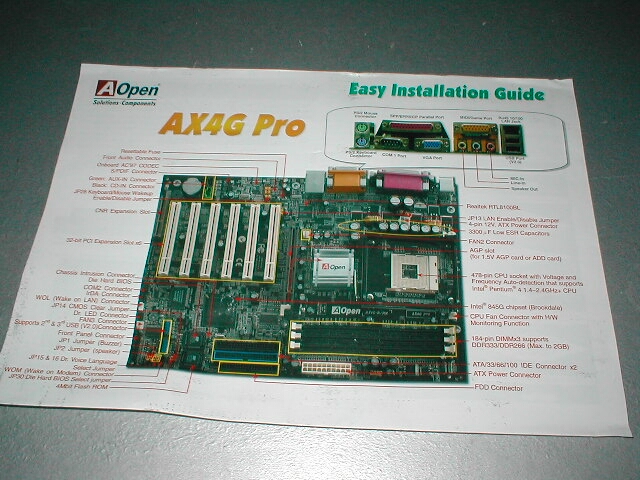
The AOpen AX4G Pro motherboard has a really cool feature which is the AOpen Jukebox Player. This AOpen Jukebox Player is basically a CD player that operates from the BIOS rather than from an operating system. Not only can you play the CDs from this utility but you can also download skins to change the look of the CD player. This is a pretty cool feature because it’s in the BIOS and is something new however I don’t see the real use for it unless you don’t want to boot into your operating system for some reason.
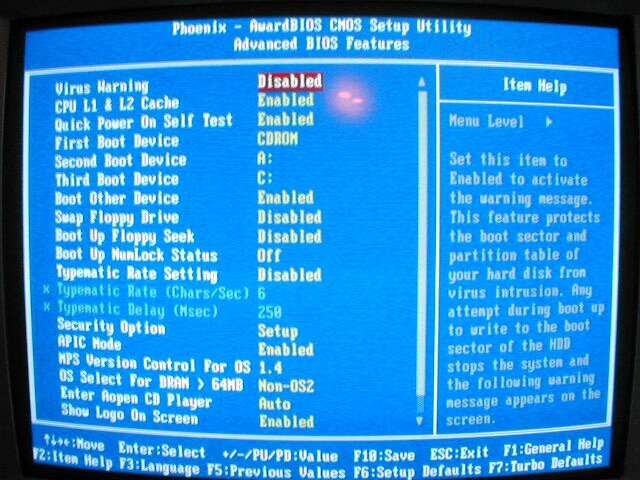
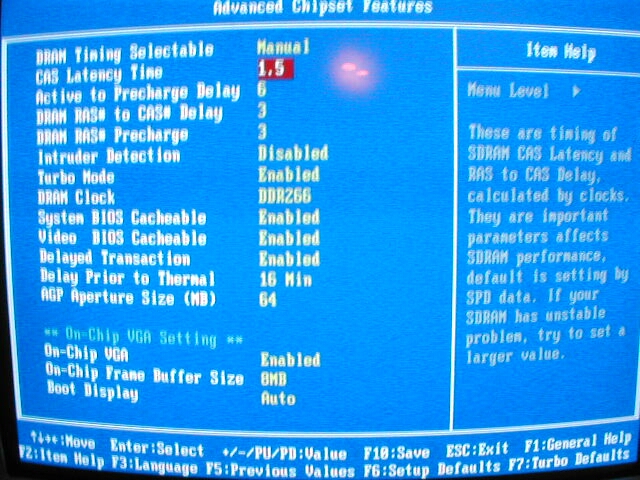
This motherboard uses a Phoenix BIOS like most of the motherboards on the market use today. The advanced BIOS features menu has all of the boot sequence options and the option to turn the Open Jukebox Player on and off as well as the AOpen logo on the boot screen. The Advanced Chipset Features menu is where you will find all of your memory tweaking options. There are some good memory tweaking options in the BIOS, and I was really surprised to see that there was a CAS 1.5 option, this is the first time I have seen this on a motherboard. You can also choose here to enable or disable your onboard video and configure it a little.
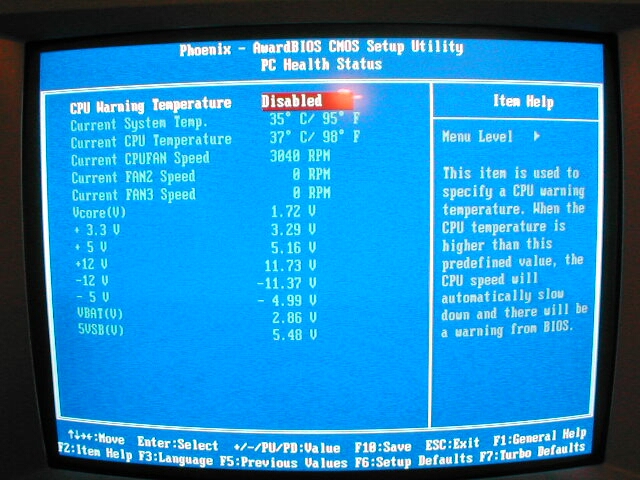
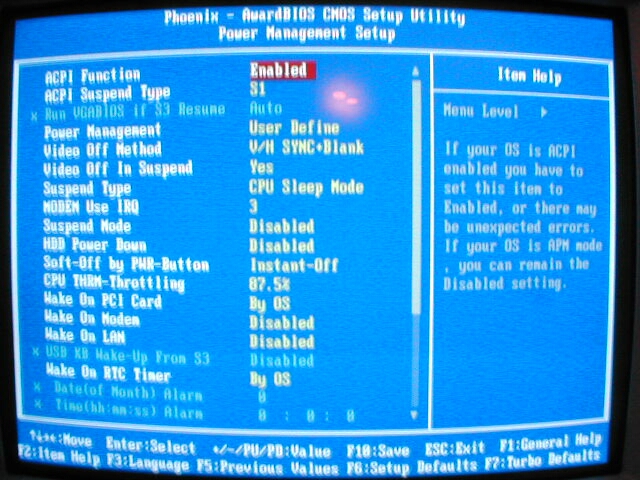
The PC Health Status part of the BIOS contains all of your temperatures, fan RPMs, and voltages. You are able to set a warning temperature in this menu but overheating is not that much of a worry with Intel setups compared with AMD setups. The power management setup has all of your options for power saving, and all of your wake up options for your components.
Finally the integrated peripherals section of the BIOS is just that, it has all of the options for all of your onboard things such as IDE, USB, video, audio, and other optional add on things like the Dr. Voice and LED. The Dr. Voice option is actually pretty nice, it is basically like a LED diagnostic system but that uses the PC speaker to tell you what is wrong by talking to you, the only downfall to this is that it is pretty hard to understand due to the fact that its a PC speaker.