

So when I opened the box from Cooler Master and found the Ergo 360, I did a skyward fist pump. It’s nice to review something that I can put to work for me after the review is over. The packaging is pretty standard. Pics of the product and what it can do on the front, info about it on the back, and a window on the front right side to see what you’re getting. At first it looks like your basic cooler. Nope. Read on.
Out of the box, you get the cooler, some foam packaging blocks, and a warranty and instruction pamphlet. That’s pretty much it, so we can focus on the cooler now. Black brushed aluminum set into a thick black plastic base, the cooler houses two 80mm fans. These fans spin at 1700 RPM, which generates a nice little stream of cool air. And as luck would have it, they are situated in the perfect positions to eliminate heat from the hottest parts of my laptop. The right fan blows directly into the intake vent for the CPU, and the other blows right on the RAM. But we’ll get back to that shortly.
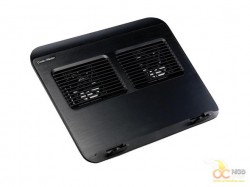
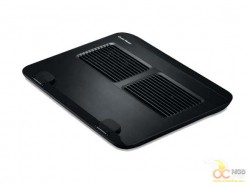
The standard risers on the bottom of the cooler lift the back of your laptop about a ½ inch from the surface, which allows for plenty of airflow. If you’re putting this on your lap, be sure to position it so the fans are getting plenty of room to pull air. Why do they even call these things laptops? That’s pretty much the worst place you could put it. You know how many laptops have been destroyed by heat from someone putting it on their lap and blocking the intake vents? Jeez…
So anyway, on the back, there is a rectangular recess where you will find the USB power cable wrapped around a plastic keeper. The only other thing back there is the one thing that makes the Ergo truly ergo. The cooler has a leg that folds out with three height settings. This allows you to raise the entire laptop up off your surface and use it with another keyboard, as a secondary monitor, or just to make room on your desk. Although typing on your laptop while it’s at a 45 degree angle might be a PITA.
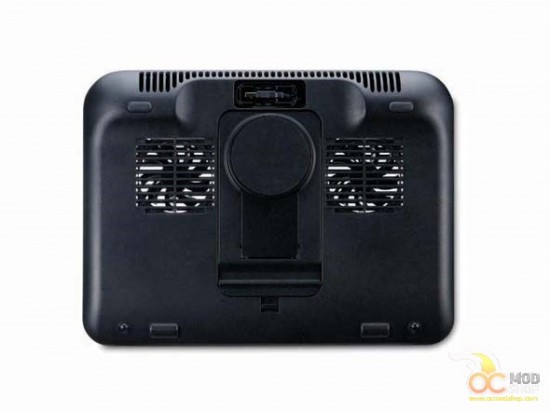
This leg can be removed from the cooler and used separately for any number of devices like smart phones, PC tablets, iPads, ect… It’s actually a pretty neat idea. I had to try it out, so I took it off and put my Android tablet on it so I could watch Netflix whilst writing this review. That is also the very reason why I had to go back and rewrite many things that made no sense. Television and typing are not a good combination.


