

However, the fans on the Ergo air perfectly positioned for my laptop, with the left one blowing directly on the air intake for the CPU heatsink and the right fan blowing up onto the cooling vents for both the RAM and the mobo. While this probably won’t happen for everyone, most laptops do produce heat in these same regions, as the CPU, GPU, and RAM locations are rarely moved around just for fun.
I recently found a forum of people who enjoy restoring Inspiron 1505s and similar laptops, and they all seem to report the same issue I have. At the right rear of the computer, where the system lights are and where the power plugs in, there is an area that has been known to turn into an Easy Bake oven from time to time. It’s usually when I’m taxing the system’s resources, but it does occur from time to time for no apparent reason. The Ergo has pretty much wiped that issue out. I spent three hours playing L4D on it last night, and not one part of the laptop got hot. Those fans do the job.
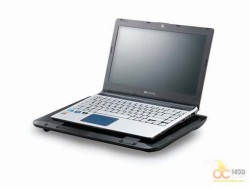

All in all, I find the Ergo 360 holds up to all of its promises. It provides an excellent platform for both your laptop and your smaller portable computing units as well as providing much needed cooling to vital components with some great airflow from some fairly quite fan action. It’s a great cooler, the aesthetics are nice, and above all, it works.


