

When I got the drive cases I ripped out the hard drives from my old enclosure and installed them into the “new” ones, and voila! I was getting 125 MB / sec transfer speeds, which is a 500% performance increase for only a little money. Can’t go wrong with that… or can you?
The one thing I liked about the old drive cases is that they had an on/off switch. My “new” enclosures were missing a power button. The hard drives in my old Samsung enclosure were “eco” green drives with a standard SATA interface.
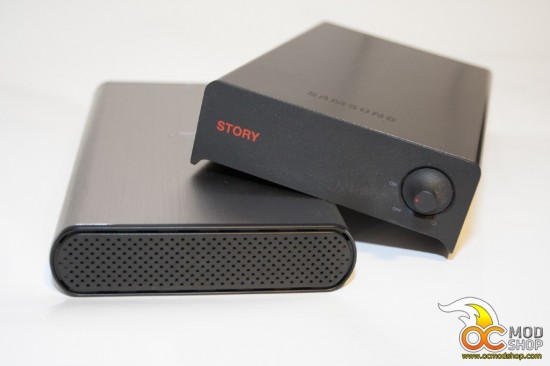 Old Samsung drive case and new Iomega enclosure after painting
The drives like to spin up and down a lot if left powered on. Also, for reasons unknown, if the drives are in sleep mode Windows will spin them up whenever the OS is shutting down…
I didn’t like the beige/gray (but more beige) plastic front of the new enclosures. It’s not in my nature to leave stuff the way they are. I suppose it’s a bad habit at times, but these drives are begging to be modded.


