
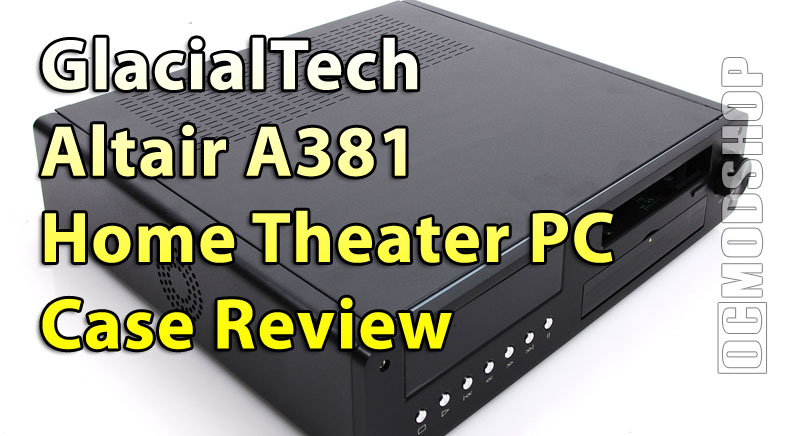
The top of the case easily slides back once the single low-profile screw is removed. Looking inside, we can see a plethora of included cables, which are pre-wired to their components… all that’s required is to hook them up to your motherboard.
The internal case layout is not unlike many desktop cases. The area for the motherboard has pre-drilled mounts, as standard brass mounts would be too tall for this case. There is barely enough room outside of a standard mini-ATX motherboard, so it is recommended to remove the drive cages until the end of installation.
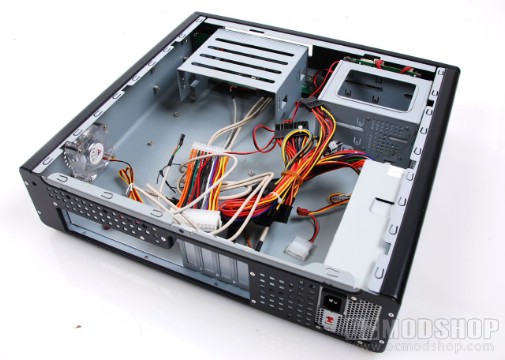
The case has two pre-installed drive cages. To the left is a 5.25″ drive cage to accomodate a standard DVD or Blu-ray drive. To the right of this is a 3.5″ hard drive cage, which can accomodate two standard hard drives. The HDD cage is tilted to the right by 90 degrees, to make sure there is enough clearance for the motherboard, which actually makes drive installation difficult. All drive cages are secured to the bottom of the chassis by standard case screws, but GlacialTech has pre-installed yellow rubber grommets to help reduce drive vibration.
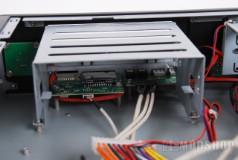
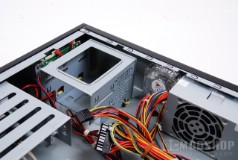
The included power supply is a 270W model, and has enough connections for all the hardware that will fit in this case. The PSU has 24-pin motherboard power connectors, 2 SATA power connectors, four standard 4-pin connectors, and a floppy connector. You may find yourself needing a molex-to-SATA power adapter if you use a SATA-based optical drive, especially if you use two SATA hard drives.
This case uses SoundGraph’s iMon display solution, which is implemented on just about every modern HTPC case. This solution integrates front panel buttons with a display, IR input, and several other optional features (like a software-driven volume knob). In an attempt to make your HTPC more appliance-like, this display solution is installed in a way that isn’t so straightforward… with the idea that the PC can be turned on remotely. The display leeches power from your “always on” motherboard power connector, so that the IR sensor remains powered, ready to receive a remote signal that turns on the PC. In reality, most people with home theater PCs will keep them on all day, which renders this feature moot.
