
There’s so many shiny things on this case. I’m not sure where to start.
The front panel looks like it could replace Darth Vader’s chest controls. The case is laid out like any standard mini-tower case, and is meant to stand upright. The front of the case is all plastic, some of it is painted silver, some grey, and other parts are made of black plastic.
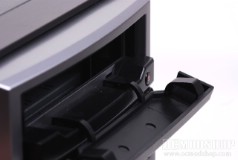
The top of the panel has two stealthed optical drive bays. The bay trays are held in place by two hinges loaded with springs, which are also hidden away. The stealthed bay is actually rather beefy, as there is a lot of plastic between the outside and your optical drive. Below the top DVD drive bay is another one, which can be helpful if you like to copy DVDs, burn two DVDs at once, or just want to have a Blu-ray drive and standard DVD drive.
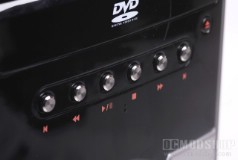
Below the two drive bays are six silver buttons that function as media controls. From left to right, these buttons are Back, Rewind, Play/Pause, Stop, Forward, and Skip. These buttons function just as you think they should, and are controlled by iMedian software included with the case. Below these media controls is a two-line, sixteen character (2 x 16) Vacuum Florescent Display (VFD), which have much higher contrast and brilliance than LCD-based displays. This VFD is also controlled by the iMedian Software included with the case.
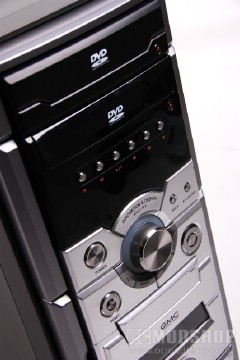
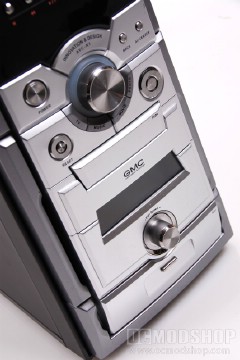
Next, the case is colored silver and has other buttons and knobs. On the left is a large Power Button, and to the right of this is a Back and AV Center (or Home) button. Prominently fixed in the center of the front panel is a large silver volume knob, which is surrounded by an array of blue LEDs and media buttons. Below the volume knob are four buttons to instantly jump to different media applications (which are programmable): TV, Music, Movie, and Photo.
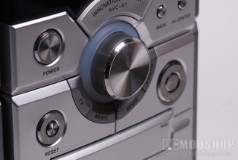

Below this is the Reset button and navigation D-pad. The D-pad looks like a button surrounded by a ring, but the ring only accepts Up, Down, Left and Right. The center of the ring is an Enter button. You should be able to navigate almost every software (such as Windows Media Center) using this control scheme.
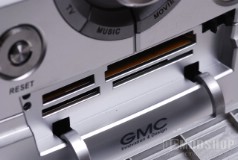
Below these buttons is a standard 9-in-one media card reader, which is concealed behind a plastic door with two hinges. The door opens with a push, which unlocks the door which swings down. The door can be locked again by swinging the door up until it clicks into place.
Below the media card reader is a VFD that displays the output of the integrated Fan Controller. The fans are controlled by a knob below this display, which can be clicked to select the fan you want to control, and then adjusted by turning the knob clockwise or counterclockwise.
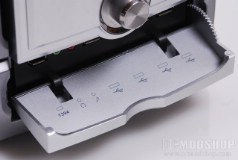
Below the Fan Control area of the front panel is the input/output section, which is stealthed behind a plastic door. Just pull the door down to reveal four USB ports, a headphone jack, microphone jack, and Firewire jack. The ports can be hard to see from the average angle of one looking down, so the inside of the door has been printed with the locations of the jacks.
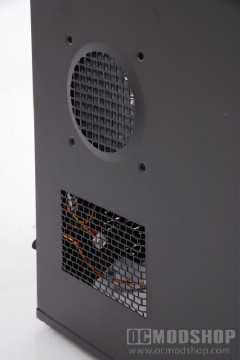
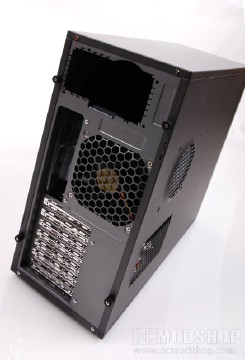
There is nothing noteworthy about the top or right side of the case, but the left side has two stamped vents. One oblong vent near the bottom allows PC cards access to outside air, and the top grill is cirular and can accomodate one 140mm fan. The bottom of the case has four “media feet” secured with screws. These media feet sport a silver metal ring, and no-slip rubber bottoms.
The back of the case is pretty standard for a mid-tower. Any standard ATX Power Supply can fit in the top, and standard motherboard I/O port is punched out of the back. Above the I/O panel is a pre-installed 120mm fan. The back of the case has 7 PC card slots, so this case can take up to a full-sized ATX motherboard.