
The interior of the AVS-K1 is accessed by unsecuring two thumb screws on the right right back of the case. Once the right panel is removed, we can see all of the rolled steel inside begging for our hardware.
The first impression is that this is one quality case. All case wires are bound together with cable wrap, so they look grouped and organized. All case accessories and components are included in a sealed plastic box, which has been secured to the motherboard tray using a green thumbscrew. Also inside is the iMon remote and paper manual.
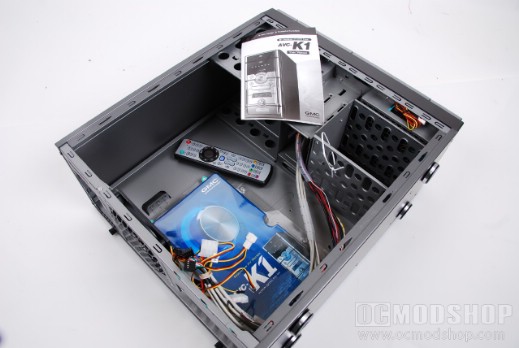
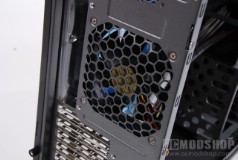
The front and rear of the case have two 120mm fans pre-installed. Each of these fans use standard 3-pin fan connectors for power, which is something I always like to see. For some reason, other manufacturers like to include fans with bulky 4-pin molex connectors, which must be tethered to your power supply, and tends to make wiring very messy. Kudos to GMC for including usable fans.
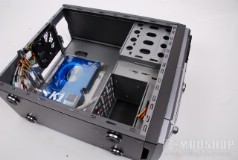
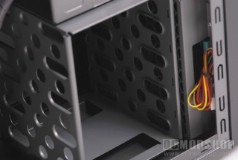
The interior of the case is not unlike many mid-tower cases. The top of the case has rolled steel ledges to secure a power supply. The front of the case has several drive bays to house your optical drives, hard drives, and other devices.
The top cage can hold four 5.25″ devices, but in reality you can only have 2 optical drives, as the front panel only allows access to the top 2 bays. Below this drive cage is a 3.5″ drive cage, which is where all the front panel cabling is routed. This cage is not really usable for drives, but is a great place to stuff extra cables (like unused cables from a modular PSU).
Below this cage is a removable 3.5″ hard drive cage, which can handle up to four 3.5″ hard drives.
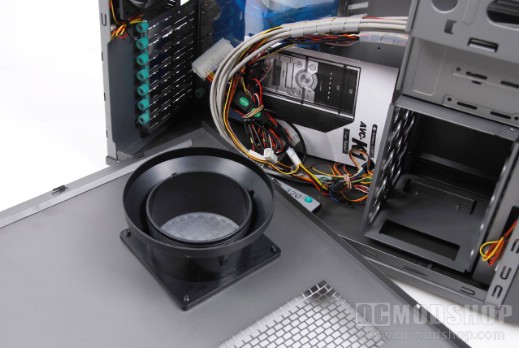
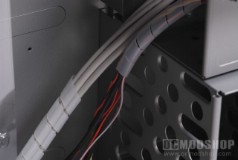
The motherboard tray is not removable, and does not come with any pre-installed motherboard mounts. As mentioned before, all front panel wires are grouped with white cable wraping. Internal USB, HD audio, Firewire, fan bus and other connectors are in one group, and other cables such as the power button, reset button, and hard drive LED are in another group.
These wires will eventually be distributed all over our case, depending on the location of their corresponding ports on our motherboard. There are lots of wires, so be prepared to route them properly to look nice and neat.