

The 1000B case comes in all black, and the front looks almost featureless, but that’s because many of the features are hidden behind an attractive panel. Once the bottom panel is pulled open, you can see the headphone and microphone jacks, eSATA port, two USB ports, and a firewire port. The lower right of the case houses a media card reader and another USB port.
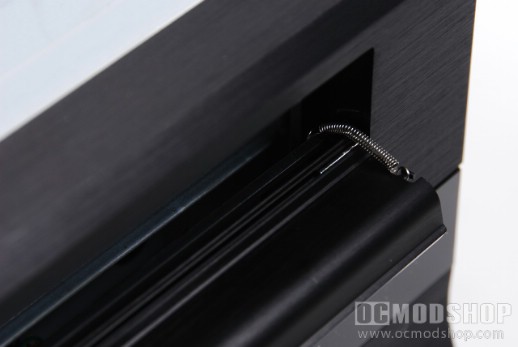
Above the bottom panel is a programmable 2×20 character LCD display, which is a pretty standard feature on today’s HTPC cases. On the left side of the case is a rather large silver Power button, Reset button, and hard drive activity LED. The top part of the front panel has the nMedia logo stamped on it, and the upper right portion of the case has a stealthed DVD drive bay, with a stealthed Open/Close button. The stealthed DVD bay cover is held upright with a long spring, which in my opinion just looks sloppy and could get bunched up or otherwise caught on any installed drive tray. A much more professional approach is to use a hinge spring at the bottom of the cover.
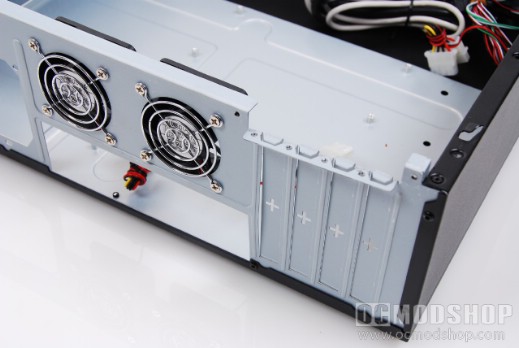
The rear of the case shows you how compact the unit really is. The case will take a standard ATX power supply, which appears to take up a third of the back panel. To the right of this is a standard motherboard I/O panel, and four slots for option cards. Because there are only four slots, this means this case can only accept mini-ATX motherboards or smaller. Above the I/O panel are two 60mm fans. The case is only as tall as the card slots, so make sure you choose cards whose PCB does not extend beyond the riser.
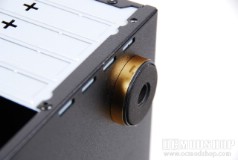
The right side has a 80mm fan to help circulate air inside, which also blows across the internal hard drives. The top panel of the case has vents to allow for heat to escape through natural convection, and there is also a stamped grill right above where many CPUs will be positioned, which gives the processor access to outside air. The bottom of the case has sturdy and attractive feet, which are secured to the case with screws and use no-slip rubber. The top panel is secured at the rear with two thumb screws, which are easily removed, revealing the creamy goodness inside.


2 comments
Hey! I'm a cheap bastard! That's right up my alley.
Doesn't look bad for the price. Also saw a video review on Youtube. One thing that isn't mentioned in this review is, you can't use CPU heatsinks taller than 4".
Comments are closed.