

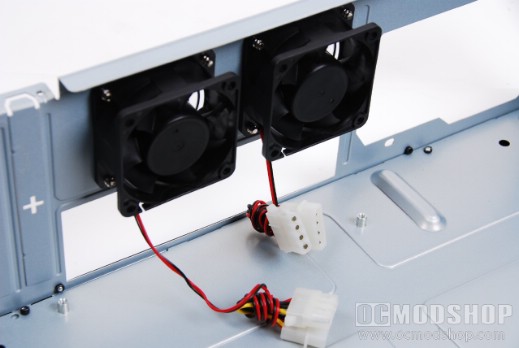
Once we can look inside, we see that the case is almost completely made of standard steel, and only the front panel is aluminum. The motherboard tray is static, and has several mounting screws already attached. There is very little holding the rear panel to the case, and the card slots are it’s weak point. The back panel is easily warped by even a slight tug. The included intake and exhaust fans get their power through standard 4-pin molex connectors rather than the much smaller 3-pin fans. Most PC enthusiasts are not fans (no pun intended) of this type of fan power connector, and honestly any case with these types of fan connectors are an instant turnoff. I understand that the fans are meant to be compatible, but in today’s world, there is no reason to use a bulky molex connector.
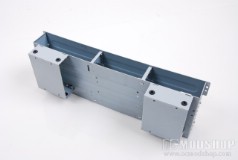
The front drive cage is one large piece that can be easily removed for drive installation. Just remove two securing screws, and the cage slides out and up. The cage has vents on the right side, which allow the included intake fan to blow across any drives here. The top portion of the cage will accept two 5.25″ drives, but the optical drive can only be accessed using the left panel, so the right side could take a fan bus or another hard drive. The bottom portion of the cage are two 3.5″ hard drive cages, and the mounting holes have been fitted with rubber grommets to reduce vibration.
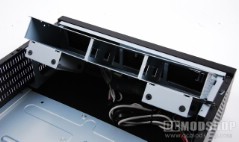
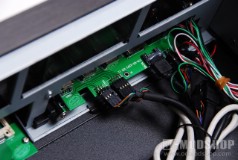
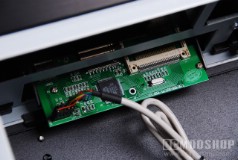
Once the cage is removed we can see the other internal goodies that make this case work. The multi-card reader is pretty standard, and has a standard 9-pin internal USB cable (two rows of 4 pins plus a guide pin). The right side of the case (on the inside) has connectors for eSATA, USB ports, standard motherboard leads, and USB cable for the front LCD panel.


2 comments
Hey! I'm a cheap bastard! That's right up my alley.
Doesn't look bad for the price. Also saw a video review on Youtube. One thing that isn't mentioned in this review is, you can't use CPU heatsinks taller than 4".
Comments are closed.