

The included software works well, and has features very similar to iMon. The LCD is a greenish color that looks similar to a VFD, but can have an annoying glow unless you’re looking straight at it. The LCD displays pertinent information while you’re using your Media Center PC, and displays time and title information about your movie or music. While the LCD isn’t programmable outside its presets, it has just about everything you need to make your new system feel like a home theater appliance.
Cooling performance greatly depends on several factors. To help keep your HTPC running smoothly, don’t use an overly-powerful video card just to watch movies. Instead of the latest ATI 4870, why not tone it down to a cooler (and cheaper) 4830? Once you get all your equipment installed, things can be rather cramped, so minimizing cable mess and routing cables is very important. Try to use SATA drives (including your optical drive) whenever possible. Also, don’t place other equipment on top of your HTPC so hot air can escape naturally rather than totally relying on exhaust fans. If you follow these guidelines, then the nMedia 1000B case can run your home theater reliably.
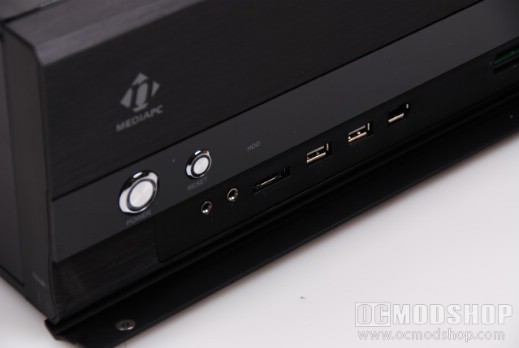
Overall the nMedia 1000B case is very nice. It has an attractive anodized aluminum front with many features you’d expect from a good Home Theater PC Case. The interal design is good, and minimizes hassles that come with compact cases. The front panel and LCD are easier to install than other HTPC solutions, which tend to use iMon. The one big feature that is missing is a volume control knob or front navigation buttons, which are starting to become standard on Media Cases.
The build of the case could be better, as the back panel feels like it could be ripped off, the front DVD panel should have used a hinge spring, and the included fans use outdated Molex connectors for their power. Most users won’t care about these design issues once the case is built, as it is attractive, and looks right at home with the other home theater equipment it will replace.
 |
 |
 |
|||||||||||||||||||||||||||
|
|
|
|||||||||||||||||||||||||||
 |
|
 |
|||||||||||||||||||||||||||


2 comments
Hey! I'm a cheap bastard! That's right up my alley.
Doesn't look bad for the price. Also saw a video review on Youtube. One thing that isn't mentioned in this review is, you can't use CPU heatsinks taller than 4".
Comments are closed.