

The NZXT Avatar S is a slightly reduced version of the original Avatar gaming mouse. The sample we were given is the white version, which is bright white with black trim. The new version of this rodent still has an ambidextrous 5-button design, but the most notable reduction is the sensitivity. This mouse supports a 1600DPI sensor, and can be toggled between 1600, 800, and 400 DPI settings. The mouse has an illuminated NZXT logo which changes its LED color based on your setting (blue, purple or red), but if you find this annoying it can be turned off via software.
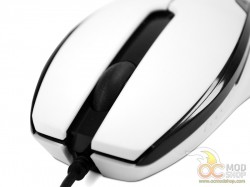

The button layout is symmetrical, which makes this a good choice for left-handers, but also means that the fifth button is impractical for normal use. You have to press the thin button with your pinky finger, so many will either not use the button, or assign it to a rarely-used function. Because the mouse is so light and the fifth button is so awkward many people will accidentally push the mouse while accessing this button. The scroll wheel is made of rubber and has a good feel, and the notches feel satisfying and is easy to click but can become slippery if your hands are oily or sweaty.
The underside of the mouse has three Teflon feet and the 1600dpi laser sensor. The cable has a decent length and terminates in a gold-colored USB connector.


