When configuring an enterprise server, the type of RAID array you select must be carefully chosen depending on your application. Selecting the right RAID type for your needs can easily take up another article or two, but it usually comes down to balancing performance over redundancy.
The QNAP TS-409 Pro supports many different RAID types, but overall performance can actually be slower when using a more complicated RAID configuration. The most “expensive” RAID array (in terms of processing power) is RAID 5 and 6, as parity must be calculated in real time and written to the drives. All of this calculation takes place in software, meaning that much of the power of the unit’s onboard processor is taken up with disk calculations.
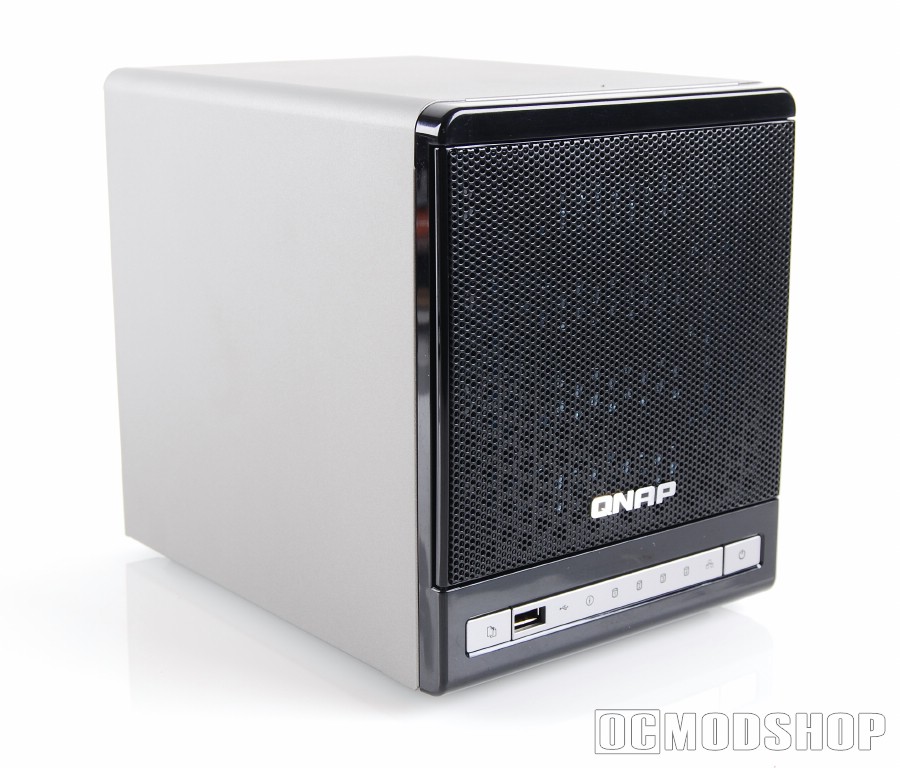
To test the unit, we configured the NAS with several different RAID volumes and then copied 1.5 Gigabytes to and from the array, measuring the time taken for the copy. Testing was performed both at 100Mbit and 1Gbit using a D-link green Gigabit switch. The TS-409 Pro supports jumbo frames up to 9000 byte sizes, so this was enabled on the server and client for Gigabit tests.
Clearly the fastest write performance comes when writing to a single volume (just a single hard drive). Since all other array types require more CPU intervention, it appears that overall network throughput is greatly dependant on the TS-409’s CPU.
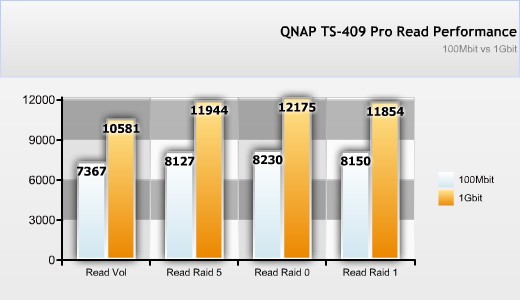
We get some inconsistant results, however. For example, Raid 5’s write performance is faster than Raid 1, even though Raid 5 requires alot more horsepower to calculate. Read performance is slightly higher on anything better than a single volume. Since read performance is virtually the same regardless of the array you choose, don’t choose an array based on dogmatic theories (“raid 1 is faster than raid 0 (or vice versa)” or “raid 5 is better for multiple users”)… instead choose an array on what gives you the best redundancy/capacity ratio for your needs.
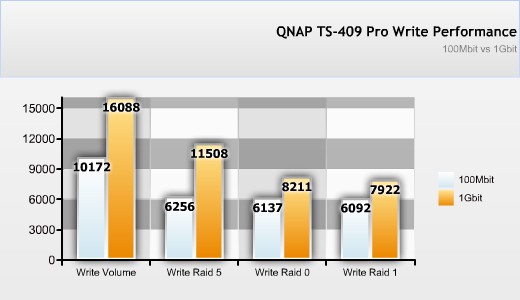
The point to be taken here is that write performance is inconsistent based on the server’s workload, and read performance is basically the same no matter what you do. In terms of the QNAP TS-409, forget about the performance aspect when choosing your RAID. Performance doesn’t differ that much between the different configurations – they’re ALL slow.
While these neat little graphs show you how the unit compares with itself, actual network usage can be frustrating. If you have a Gigabit connection, then these speeds mean that you’ll only get between 7 and 10 percent network usage, translating into severely long copy times.