In one word – Infant.
The technology has proven it can shine under the right circumstances, but fall short in others. To me it just doesn’t have the rock solid stature that a product should have to be released to the public. I think nVidia may have been a bit premature with this one. It seems as if there are a lot of holes in the SLI equation as it stands right now: Poor low resolution performance, low compatibility with current and old games, incomplete profile creation settings, and unstable results with new games. In no way is this technology plug and play, unless the only applications you play fall on that list of 15 applications nVidia has approved for use with SLI.
So if you are one of the gaming community who enjoy older games not on that list, or if plan on playing new games as they come out and want to take advantage of nVidia SLI performance, one of two things needs to happen:
|
1. nVidia needs to step up to the plate. It has been quite a while since SLI hardware has hit the market and there has been no sign of a framework for new application profiles to be updated or installed. It’s not looking good in this area since history has proven that with nVidia you can wait many months before new drivers are released. 2. More information regarding the mysterious hex string SLI modes and any other miscellaneous settings needs to be released to the public. Since it doesn’t seem nVidia hasn’t been keen on releasing new drivers or profiles, the majority of profile creation has been left to tinkering in the nvapps.xml file. If new information regarding those mysterious hex string SLI mode settings is released, maybe the community can fill in where nVidia has dropped the ball. |
A novel short term idea would be a website where nVidia collaborates with the community for profile testing and releases. Stable profiles from nVidia could be released among profiles with which the community has developed. Their status could be labeled as either stable, buggy, or unstable. The profiles themselves could be boiled down to individual files for individual games and then downloaded installed separately.
But for now were stuck asking many questions, to the only ones who know the answers, nVidia:
|
|
nVidia, I and many others will be waiting for your answers.
A final question…
Should I buy it, and if not now then when? Sound advice to everyone reading this is, WAIT!
Multi-GPU technology shows a lot of promise. It clearly can be quite useful for helping GPU performance. nVidia has put a lot of effort into SLI and has even coupled it with their new server and workstation line of professional chipsets, so I doubt they will let this early infancy affect how they pursue their SLI technology developments. Though with other companies like ATI (ATI’s version is called AMR – ATI’s Multiple Rendering) and even chipset companies like Via (Dual GFx) showing interest in multi-GPU hardware, there should be some hefty competition in due time.
I have heard some say that using two 6600GT’s in SLI operation would be a good alternative to using a single 6800GT. I hope that this article helps to dissuade those thinking of going in that direction. The only situation in which I would feel fine suggesting an nVidia SLI setup to anyone now would be this:
If you are considering going SLI in the future, maybe once the software support is more full featured, it wont hurt to spend the extra money on an SLI motherboard now, but there’s no need to buy the second video card. Or… If you have money to blow, love being on the bleeding edge, and have no problem tweaking and testing to get SLI to work properly on your favorite games that nVidia has not supported yet.
Conclusion
In testing we hit close to the 1.9x performance against a single card on UT2004. However software support and strange bugs seem to plague those who want to write their own profiles for applications that nVidia has not supported yet. It’s a mixed bag of performance and issues that need to be worked out. However it shows a lot of promise, and if you don’t mind spending the extra dough to stay bleeding edge with your gamming performance in 15 games, nVidia SLI is the only route to go.
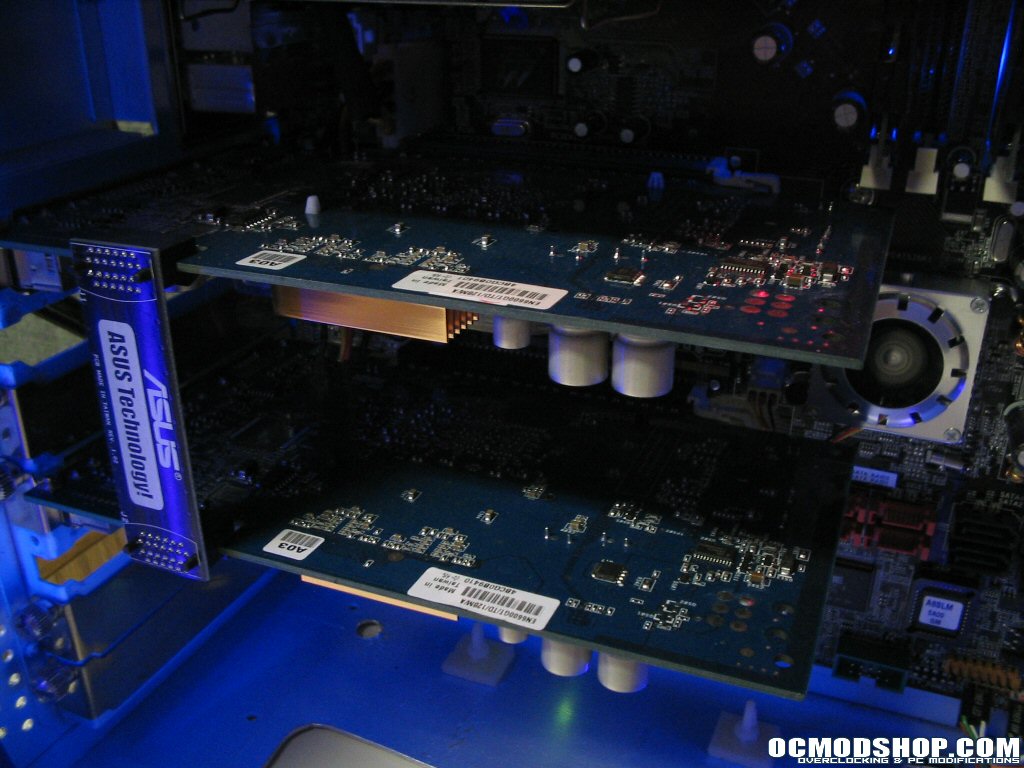
Overall from a product standpoint I feel Asus has provided a top notch setup of hardware. The Asus A8N-SLI Deluxe is a solid board with tons of features. Coupled with two rocking Extreme N6600GT’s and you have a top of the line SLI setup providing some extra performance over a single EN6600GT and keeping the frame rates rocking at high resolutions. The issues covered in this article pertain to the nVidia SLI technology itself, so I have no problem giving the Asus A8N-SLI Deluxe motherboard and Extreme N6600GT SLI setup 9 out of 10 and the OCmodshop seal of approval. I would like to Asustek for send us this SLI hardware setup for review.
Pros:
Cons:
|
 |