
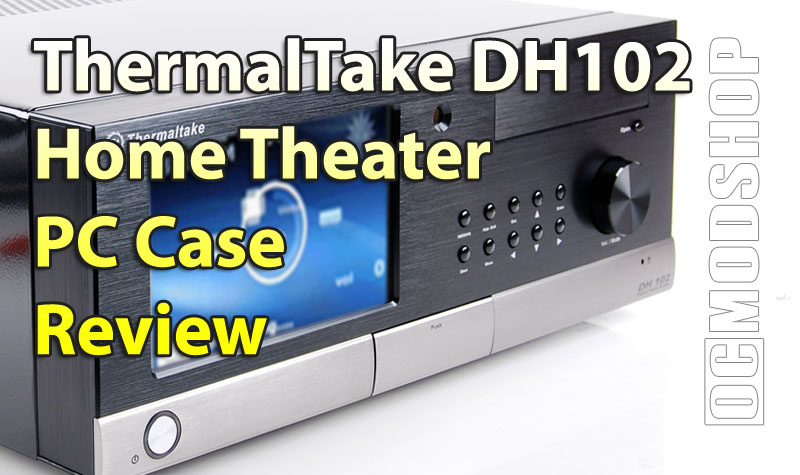
Once everything is installed and Microsoft Vista Ultimate is running we can begin to see the LCD display in its full glory. The panel is run using iMedian, which is the type of display in virtually every home theater PC made within the past few years. iMedian makes several LCD, VFD, and LCD displays, and they all work with the same no-nonsense software which has been optimized for home theater operations.
The LCD touchscreen is called FrontView, and the included software has many options available to customize it. Most of the customizations are checkboxes, radio buttons and select boxes, so you just choose the features and screens you wish to see. There is very little configuration you have to do, and no complicated programming involved (like LCDC and other display programs require).
The major complaint I have with the front LCD comes primarially from my hatred of ATI video cards. ATI cards try to be “smart” when initializing initialize displays, which translates into several problems when using this LCD screen. When I power on my HTPC, nothing displays on the HDTV, but instead appears on the small LCD. Once Windows has started, everything works fine, until the TV it powered on or off. The LCD screen flickers, trying to figure out which screen to use, and sometimes changes focus to the wrong screen… which means that MCE is displayed on the tiny LCD and FrontView is on my 60″ Sony HDTV. Since FrontView doesn’t have any “minimize” buttons (it takes up the entire screen and stays on top of anything else), I have to close iMedian, move MCE to the correct display, and start iMedian again. Sure there are tools to change application focus for a particular screen, but these are inconsistant.
The point to be taken here is that it’s difficult to get this working trouble-free like an appliance. You are always painfully aware that you are on a PC. I’ve had much better results with nVidia-based cards (68xx cards and higher), as they seem to behave and stay where you set them.
When it works, it works beautifully. FrontView is so powerful that you don’t even need a remote (which is good news for those who keep losing them). You can even do functions like a virtual keyboard and mouse movements, but the usability doesn’t lend itself to work easily.. but at least the functionality is there.
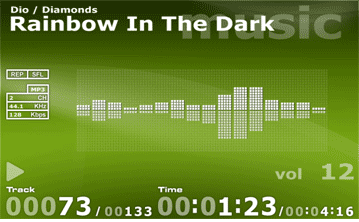
The great thing about the LCD is that there is NO lag at all. iMedians other LCD and VFD displays are typically character-based and driven by serial USB connections. This means there is a significant delay when transmitting infromation to be displayed. This usually isn’t a big deal for static things like movie titles, but any animation such as scrolling text or graphic equializers are noticably off. Using a VGA-based LCD means instant response, so the graphic equalizer looks absolutely amazing, and the FrontView animations are fluid and beautiful.
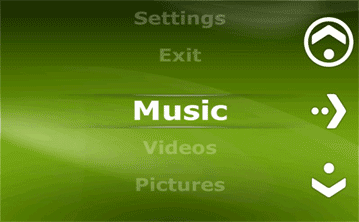
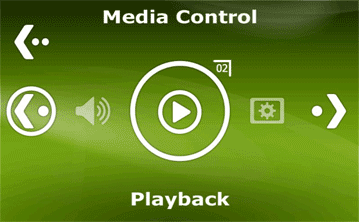
The touchscreen is effective, and the icons used on FrontView are large enough that even those with fat sausage-digits can control their HTPC. There is a central “home” hub, where you can access everything available, from news, weather, home theater functions, mouse and keyboard controls… just about anything. It can be easy to get lost, but the software resumes to “automatic” mode after a while.
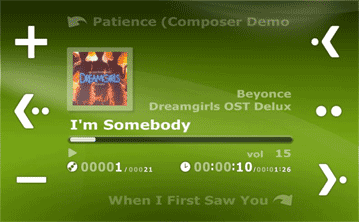
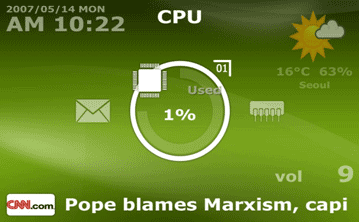
If you are using Windows Media Center, then the screen changes appropriately depending on what you’re doing at the time. If you are playing a movie, FrontView shows the title, time and graphic equalizer. If you exit MCE, then FrontView starts to show PC information such as CPU load, hard drive and memory utilization, etc.
The LCD’s backlight can be adjusted for your taste. If you have a dim living room and don’t want the LCD to be too distracting, you can tone it down. If in daylight, you might need to adjust the brightness up. The iMedian software can automatically adjust the brightness when you’re watching TV, but resumes full brightness when you use the touchscreen, stop watching a movie, or switch over to audio. I do wish there was a feature to completely turn off the backlight based on the time of day, however. The backlight is on in the middle of the night and is wasting electricity.
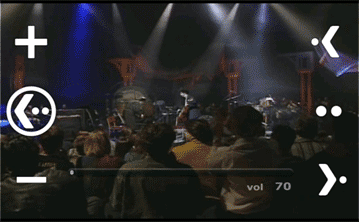
Of course, you CAN watch a movie on the LCD screen if you so choose, and FrontView has on-screen media soft-buttons to control the media as you’re watching it. This feature is really neat and is a great way to show off your home theater PC to your friends. It really isn’t very practical unless you have your PC on your desk, and most people are going to have this installed in their living room or den.


