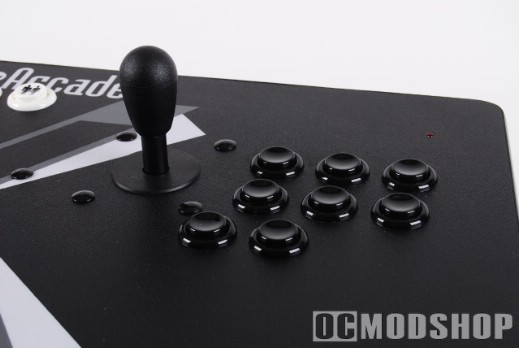
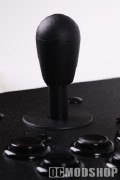
Each of the Tankstick’s joysticks can be configured as an 8-way or 4-way stick (4-way sticks were originally used in games like Pac-Man, with no diagonals possible). X-arcade even encourages users to open the thing up to perform simple maintenance or customizations. The sticks are very responsive and have satisfying clickability. My only wish is for a fire button on the stick itself, which would make Discs of Tron and several other games much more usable (one hand is on the aiming trackball, and the other on the stick, and you must remove one of your hands to press the fire button). The button could even be covered with a cap so you didn’t accidentally press it on games that didn’t require it.
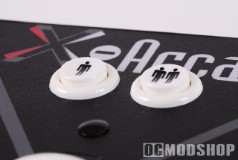
Each player’s eight buttons are custlered in an arrangement similar to classic Street Fighter or DoA cabinets (two rows of three, with the third row having two buttons). This layout will be comfortably familiar to anyone who has played these types of games, with your right thumb hovering over the third row, with your other fingers resting on your punch or kick of choice.
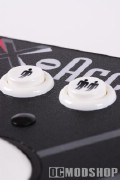
The extra side buttons are intended for use on pinball games, and by default are the left and right mouse buttons. Navigating using this method alone can be slow, as you have to move your right arm to the right side of the Tankstick to perform a right-click.
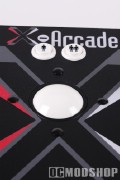
The trackball provides a very realistic arcade experience in games like Centipede and Missile Command, and the cursor is just as slow as you remember. Fortunately the trackball is mapped as another mouse, so you can easily crank up the sensitivity.
Because the trackball is essentially a USB mouse, it can be assigned a different device number every time it is plugged in. You can assign a MAME game to use Mouse 2, but the Tankstick may be assigned as Mouse 3 the next time you plug it in.
Since the Tankstick emulates a keyboard, there are only so many keypresses that can be registered at any one time (around 10 or so). The Tankstick pretty much emulates a keyboard, so if you open up Notepad and start mashing buttons, then you’ll get a bunch of seemingly random characters that pop up on the screen.
Configuration is much simpler when using a home console, and you must purchase a separate adapter for the particular console you are using. Simply plug the included 9-pin serial cable to the adapter, and then plug the adapter into your console. Switch to the appropriate memory bank, and you’re off. There is no reconfiguration of the buttons, however, but the default layout is just fine. No console adapter currently works with the trackball (i.e. mouse), so only certain games translate well with the Tankstick (First Person Shooters are basically out).
Currently there are console adapters for the Xbox, PS2, Nintendo Wii, and Gamecube. X-Arcade is currently working on an Xbox 360 adapter, but Microsoft’s new rules for third-party controller support have made this difficult. The Xbox 360 desperately needs a quality stick for DoA4 and Xbox Live Arcade.