

Overall this is a very good gaming mouse, especially for the price point. We’ve reviewed several “off brand” mice, which seem to disappear almost as soon as they are released, so let’s hope this one stays around. The hardware of the Genius DeathTaker seems to be pretty good, but the software needs more spit and polish.
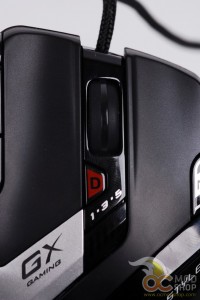
While the sensor is very good and the mouse is comfortable, there are a few things that could be improved. The LEDs that indicate your current DPI and profile setting are obfuscated by the player’s hand while in use, which requires one to let go of the mouse to see.
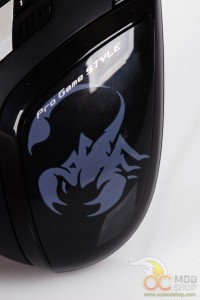
While most of the mouse has matte plastic, the part where your palm rests (the part with the scorpion logo) is shiny black plastic, which makes the inside of your palm extremely clammy with extended use and quickly becomes uncomfortable.
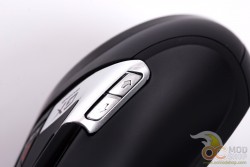
The mouse supports a lot of programmability, but really only three buttons are true candidates to stray from default settings. This mouse has five DPI slots, and we wish we could program each profile with a custom number of DPI stages.
Looking online, prices for this mouse are all over the place, which range from around $40 to $80, and it can be hard to find. While the DeathTaker has a lot of features, it is really competitive at the $40 level. If you have to shell out close to the high end then you might as well get a brand-name mouse such as a Razer Naga, Corsair Vengeance or Logitech G700.
UPDATE April 8, 2013: The same we were provided stopped working. When we plug it in, the lights on the mouse turn on briefly, and then turn off, the mouse does not respond, and Windows reports a “your USB device is not recognized” error. We hope this is a fluke, but the reader should be aware that this mouse could die within 3 months of use.


3 comments
sh*t.. mine died just like the one in your update info even with the same error "USB device is not recognized”… any info about this error? and possible solution (Win8-64bit)… thx
Looks like mine was dead. No way to revive. Just goes to show how cheap Chinese electronics may look cool at first, but then die.
mine is already on the way back to the dealer… I've tried 3 different OS's and 4 computers… It was not bad mouse at all, but dead after 4 months.. shame..
Comments are closed.