The TS-409U is pretty easy to get up and going, and has many flexible features.
Even though the system runs on Linux, it can still crash or act wonky. On several occassions an attached network client’s mapped drives become unavailable for no apparent reason. I have several mapped network drives, and sometimes when I clicked to access them I would get an error that “the requested resource is unavailable”. I would not be able to reconnect the drive because the share was already in use… so I would have to unmap the drive and reconnect to the network share. I could map a new network drive on a different drive letter, but things would get messy. This doesn’t happen often, but it is very annoying, and not something I would expect from an expensive network appliance.
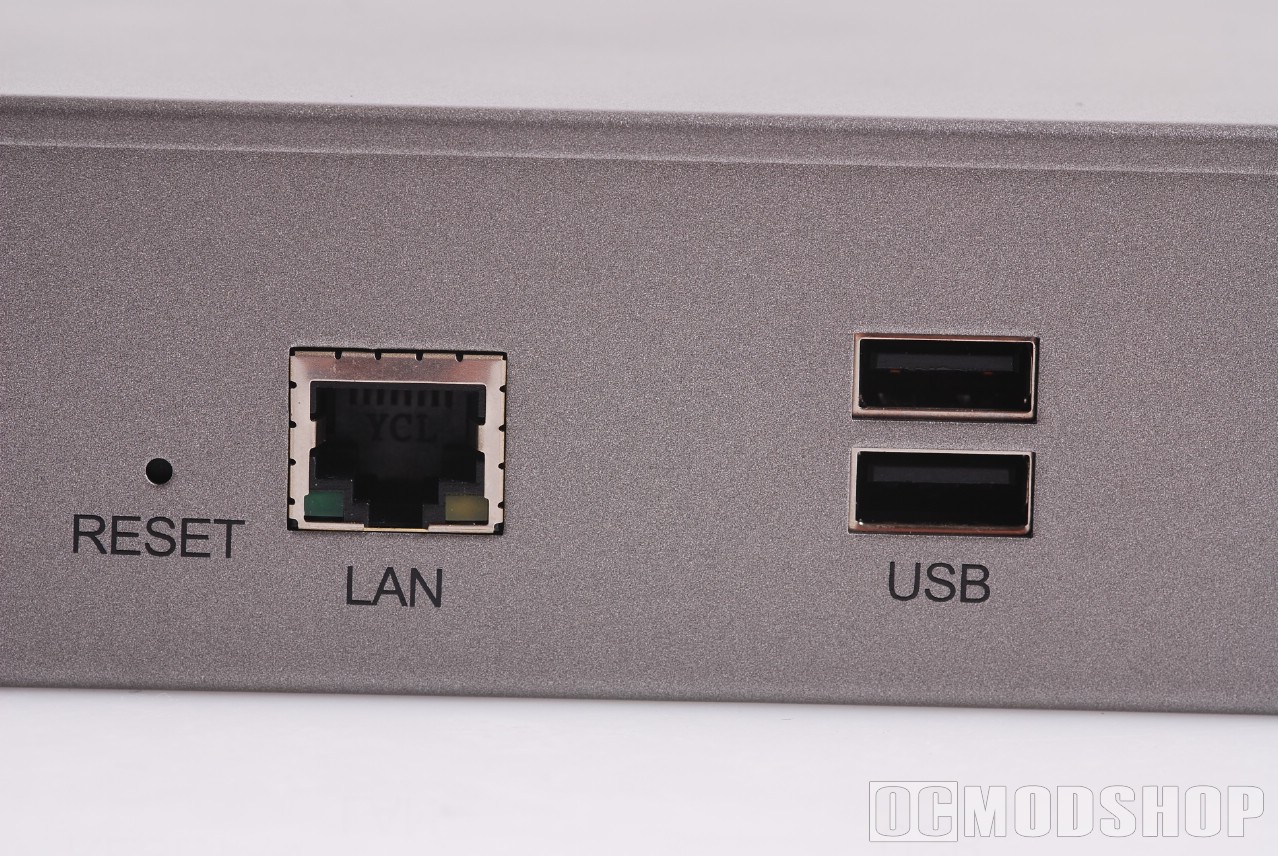
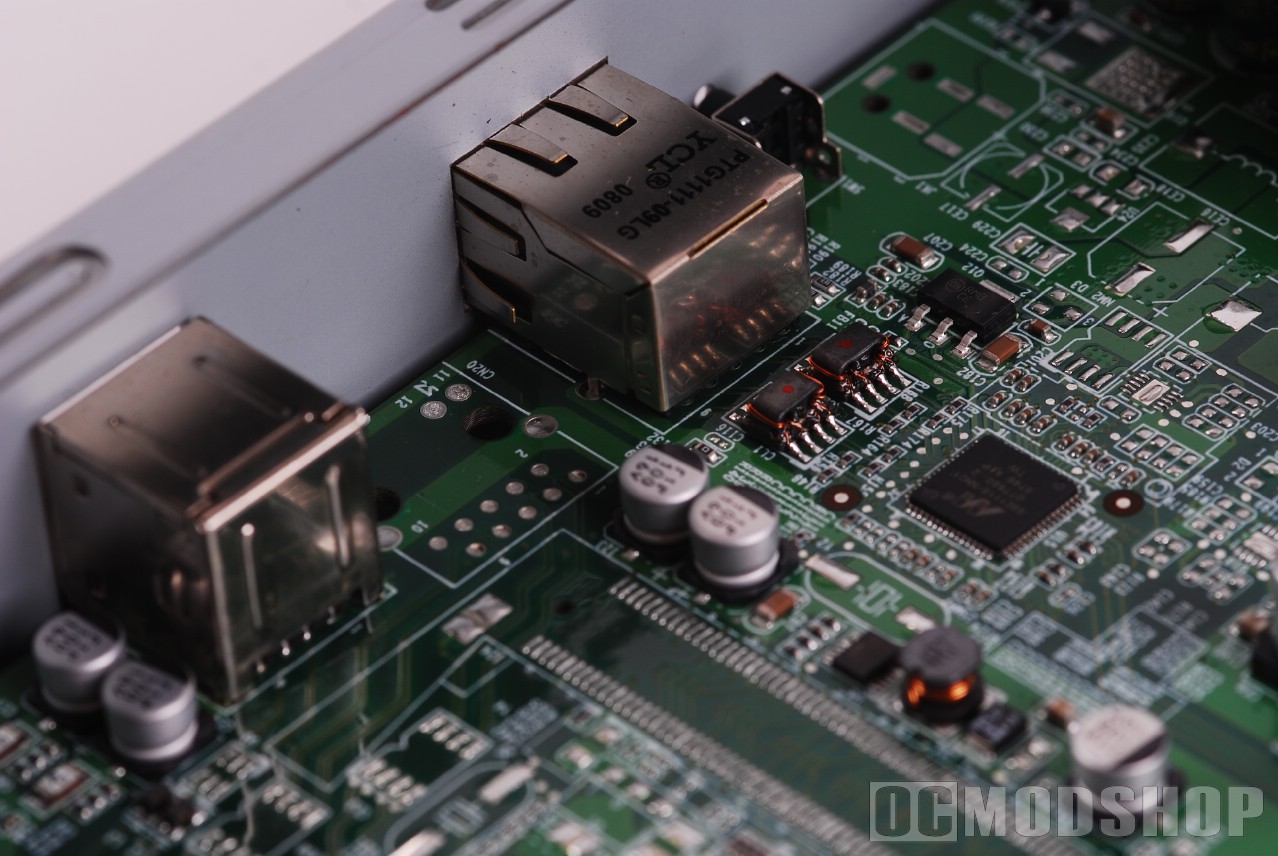
You can also make the unit crash and reboot with the included BitTorrent client. Most of the time the client works flawlessly, but if you start a job that have absolutely no seeds, then the server gets so busy with retries that it hard reboots. Again, not something that I expect from an expensive network appliance.
The unit sips electricity, especially when compared to a full-blown server. Electricity usage was measured using a Kill-a-Watt power meter, and the TS-409U was measured during different states. Below is a chart that details the usage of this unit. All drives used were Seagate 500GB SATA drives.
 |
 |
 |
||||||||||||||||||||||||||||||
|
QNAP TS-409 U Electricity Usage
|
|
||||||||||||||||||||||||||||||
 |
|
 |
Based on the results, typical electricity usage of the TS-409U is between 50 and 75 watts. Based on a 75W estimate, it will take 13 hours to reach 1 Killowatt hour, which is the basic unit that most utilities bill at. If you are billed $.08 per KW hour, then this unit will cost sixteen cents a day to operate, or around $58 a year. Compare that with a 200W server, which costs $.40 cents a day to operate, or $140 a year.
As in our previous TS-409 Pro article, network performance was tested using loads of various sizes. All storage devices vary in their throughput depending on the file size, so the network devices were tested using file sizes of 32 megabytes all the way up to 1 gigabyte. We also tested using different operating systems.
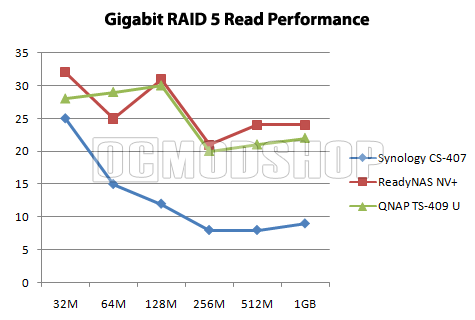
Most NAS appliances are not full-blown computers, and therefore do not have the same performance as two computers in a peer-to-peer scenario. As can be seen from out tests, the QNAP performs better than other units, but is not the most powerful one, either. Its read performance is about as much as you can expect from a networked appliance, but the write performance is about average.
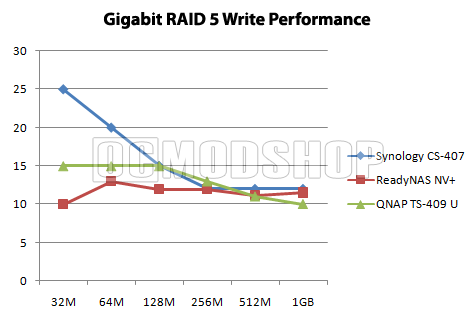
From our experience with the last TS-409 Pro, we determined that the best balance between flexibility, redundancy and storage is to configure the unit as RAID 5, which is what we did our performance test in. The TS-409 delivers different throughput with each of its array types, but none of them offer a significant throughput advantage (compared to a standard PC), because frankly all of the RAID methods are slow. So, we chose RAID 5 not because of its throughput, but because it’s the only option that allows you to upgrade your storage easily.
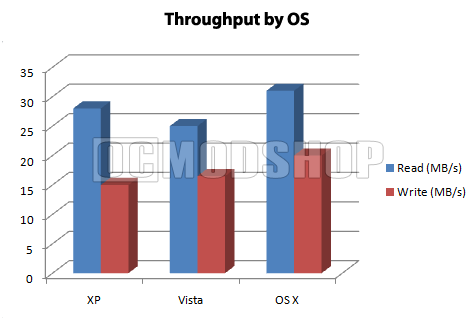
We also tested the unit from different operating systems. Some people have noticed that network performance is slower from Windows XP to Vista, partially due to Vista’s auto-tuning network. Read here how to tweak Vista’s auto-tuning network. We did find that XP had slightly more network throughput to the TS-409 than Vista, and OS X yielded the best file copy times.