

Mass Effect is an Action Role-Playing Video Game (or RPG), meaning you assume the role of a fictional character and control his or her actions in a way that affects the game and other characters. As your progress through the game you will earn “Experience Points” (or XP) for your actions. You gain these points by exploring, talking to characters, completing quests, and defeating enemies in combat. The accumulation of these points allows your character to “Level Up,” thereby increasing certain characteristics such as health. In Mass Effect your experience points are converted into talent points after each level up, which go into upgrading and improving your character’s ability with certain skills.
Many of these components are explained in more detail later.
CONVERSATIONS
A large portion of Mass Effect involves conversations with other characters. This is done through the “Conversation Wheel” that appears at the bottom of the screen whenever your character has the opportunity to say something. All dialogue in the game is fully voiced, including that of Commander Shepard. Rather than choosing the exact words your character will say however, Mass Effect shows you several options on the wheel corresponding to general feelings, questions, or emotions.
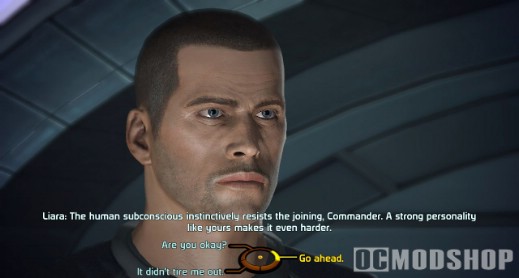
To select a dialogue choice, hold the left analog stick in the direction of the choice you wish to select and press the A button. You can also press the X button instead, which will begin your character’s line immediately, stepping on the lines of any character who is speaking at the time. X is also used to skip dialogue if you wish to do so.
The wheel itself is divided into six quadrants. Choices on the wheel’s left side usually give you more information about a given topic, while choices on the right tend to bring the conversation closer to its conclusion. Additionally, the top of the wheel tends to correspond to the Paragon path, where your character makes cooperative and unselfish decisions. The bottom of the wheel typically corresponds to the Renegade path, where your character makes decisions that are more selfish and impatient. This is not always the case, but it is a good general guide to framing your responses during a conversation if you wish to play as a certain type of character.
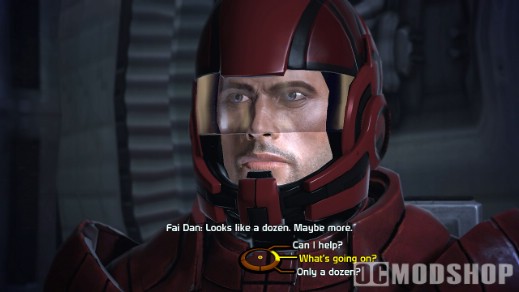
Sometimes you will see the option on the middle left to “Investigate.” This brings up more choices for topics of conversation, and the orientation of these choices often does not correspond to the Paragon / Renegade paths described above.
If you have spend talent points in the “Charm” or “Intimidate” talents, you will sometimes also have the option to persuade characters to achieve a nonviolent outcome or to give you additional money or information. These choices appear in the upper and lower left quadrants as blue and red dialogue choices respectively. If you lack sufficient skill in these areas, these talents will be grayed out, and you will not have the option of using them.
THE MISSION COMPUTER
By pressing the Start Button you can enter the Mission Computer menu. You access each part of the menu in a similar way to selecting dialogue choices during a conversation, by using the left analog stick to point to a direction on the display and pressing the A button to select it.
The Mission Computer allows you access to game details for:
- Equipment: View and change your currently equipped weapons, armor, items, and upgrades.
- Options: Change your settings for gameplay, graphics, sound, and other options. Notably, you can change the gameplay difficulty, and toggle visual effects like film grain and motion blur.
- Map: Shows a two dimensional overview of your current area. It indicates the positions of your character as well as known points of interest, objectives, and other pieces of useful information. You can use the left and right bumpers to zoom in and out for a better view as needed.
- Save: Allows you to save your current progress through the game. You can not save in certain situations, such as during combat and while riding in elevators.
- Squad: View and modify stats and abilities for you and your squad members.
- Load: Load previously saved games.
- Journal: View your current missions and assignments.
- Codex: A small encyclopedia of the Mass Effect universe. As you play and gain new information the Codex will populate itself with new articles concerning the planets, civilizations, and technology you come across.
COMBAT
The combat in Mass Effect resembles a first-person shooter, but is actually powered by a complex RPG rules set operating beneath the surface. You can draw your weapon by pressing the X button or either of the triggers, and can holster it by pressing the B button.
Drawing your weapon enters combat mode, showing a reticule on-screen to indicate where your weapon is aimed. It also displays the status of each squad member in the lower left corner of the screen. The red bar indicates the health of each squad member, while the blue boxes indicate the status of each character’s shields. More boxes means more shield strength, and empty boxes means the shields are depleted.
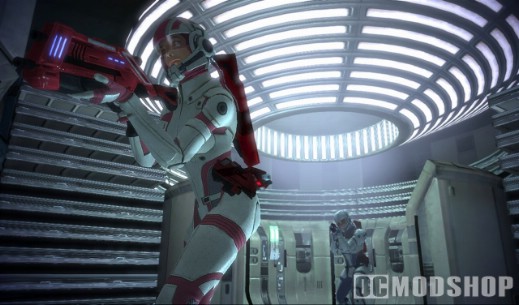
Radar is shown in the bottom right corner, and shows enemies as red dots. Certain types of enemies can jam your radar, hiding their locations from you.
The right analog stick is used to aim the target reticule. Holding the left trigger zooms in for more precise aiming, increasing your character’s accuracy. The reticule turns orange when it is placed over an enemy. Pulling the right trigger then fires your weapons at that enemy. The chance of hitting an enemy and how much damage is dealt from your weapon are determined by your stats and equipment. Your chance of hitting an enemy is reduced by holding the right trigger for a long period of time. Sustained fire will also overheat your weapon, meaning you must wait for it to cool down before using it again.
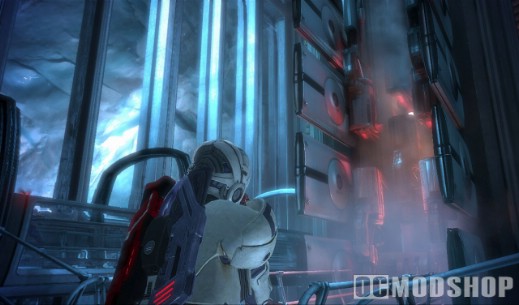
There are two combat wheels. The first is the “Weapons Wheel” which is accessed by holding down the left bumper. This allows you to select what weapon each member of your squad will use. All squad members carry a pistol, shotgun, assault rifle, and sniper rifle, but each will be far more effective with a certain weapon if they have trained in its use.
The second wheel is the “Power Wheel,” which is accessed by holding the right bumper. This allows you to access the special abilities of all squad members and use them accordingly by aiming using the right analog stick. A power can also be mapped to the right bumper by pressing the X button while using the wheel.
ADVANCING LEVELS —————-
As mentioned previously, you gain experience points as you progress through the game. There is a single pool of experience for the entire squad, allowing all squad members to advance at a similar rate. By accumulating enough XP you will level up, granting access to new talent points which you can spend at the Squad screen in the Mission Computer.
At the Squad screen you can press the Y button to automatically distribute talent points to the selected character, or you can spend them manually but selecting the desired talent and pressing the A button.

Players earn talent points for each new level as follows:
 |
 |
 |
|||||||||||||||
|
|
|
|||||||||||||||
 |
|
 |
THE GALAXY MAP
To travel around the galaxy using your advanced starship–the Normandy– you must access the galaxy map, located prominently in the center of the command deck.
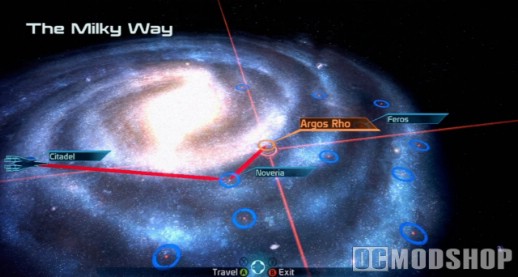
The first level of the galaxy map is the Galaxy Level, which shows all available star clusters and nebulas you can visit. By moving your cursor over a selected cluster you can see its name and view the path the Normandy would take to reach that part of the galaxy. New clusters and systems become available as you learn more about the galaxy.
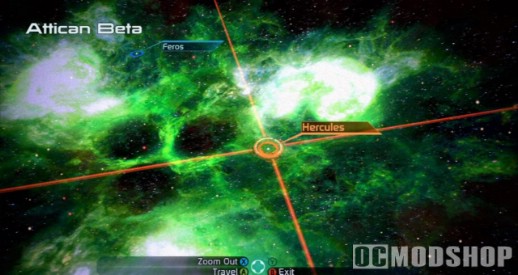
After selecting a location with the A button, you zoom in to the Cluster Level, which shows all known star systems in that cluster. To explore a star system you must travel there by highlighting the system and pressing the A button.
When you have arrived at a new system you will see the System Level, which shows all the planets and celestial objects orbiting the star you have traveled to. All planets will have a blue ring showing their orbit. Other objects may be hidden and will require you to move your cursor over them to discover their presence. Many asteroid belts have interesting asteroids you can examine, and derelict starships and freighters can also be found in some systems. A hidden object can usually be identified by a small twinkle of light that appears on occasion. When you find a hidden object, press Y to scan it.
By highlighting a planet, moon, or other object and pressing A, you will zoom in to the Planetary Level. This shows you a view of the planet’s surface along with a synopsis of important planetary features and information. Many planets are inhospitable to human life, but some can be surveyed for raw materials and interesting artifacts. Some can also be explored using the Mako. Press A to survey or land on a planet when given the option.
EQUIPMENT
Collecting, using, and upgrading your equipment is important to your success and survival in Mass Effect. The first pieces of useful equipment are your weapons. Every squad member carries four basic weapon types, and Commander Shepard can also throw grenades which detonate automatically after ten seconds if not detonated by pressing the grenade button again.
| Weapon | Description | Trainable By |
| Pistols | “Pistols are highly accurate, have little recoil, and are easy to use when moving. They are effective at a variety of ranges, but inflict limited damage.” | Soldier Engineer Adept Vanguard Infiltrator |
| Shotguns | “Shotguns have a slow rate of fire and high recoil, but inflict massive damage to multiple targets when fired at close range.” | Soldier Vanguard |
| Assault Rifles | “Assault rifles are the standard armament of most Soldiers, offering a good balance between firepower, range, and accuracy.” | Soldier |
| Sniper Rifles | “Sniper rifles have long range, are highly accurate, and inflict significant damage. They have a limited rate of fire, however, and are practically useless at close range. | Soldier Infiltrator |
| Grenades | “Disk-shaped Alliance grenades can glide long distances and also latch onto targets or flat surfaces to be remotely detonated. Only you, as Commander Shepard, can use grenades.” | Commander Shepard |
The next major component is armor, which protects the wearer from injury. Each race uses a different set of armor because of their differences in physiology. The one exception is the asari, who can wear human armor.
| Armor | Description | Wearable By |
| Light Armor | “Light armor offers a basic level or protection from enemy attacks and minimizes the movement penalties that affect weapon accuracy.” | Soldier Engineer Adept Infiltrator Sentinel |
| Medium Armor | “Medium armor offers an increased level of protection, but also increases the movement penalties that affect weapon accuracy.” | Soldier Engineer Adept Vanguard Infiltrator Sentinel |
| Heavy Armor | “Heavy armor offers the highest level of protection from enemy fire, but also has the highest movement penalties affecting weapon accuracy.” | Soldier (requires training) |
All weapons and armors can be upgrades to enhance their properties. Upgrades can increase damage, improve shields, and more.
To upgrade equipment, access the Equipment screen through the Mission Computer. Equip the item you wish to use and press the X button to view the Upgrade screen. Use the directional pad to select the desired upgrade and press the A button to equip it.
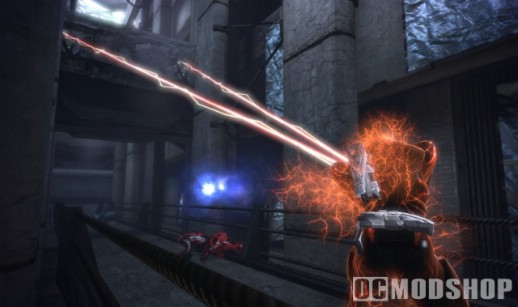
To modify tech and biotic abilities, special equipment is used:
- Bio-amps:
“Biotics can strengthen their power in specific disciplines by using amps (amplifiers). These specially designed devices often come in the form of small electronic attachments that are worn on a biotic’s ear or the back of their head.” - Omni-tools:
“Omni-tools are multipurpose diagnostic and minifacturing tools used for a variety of battlefield tasks, such as hacking, decryption, or repair. They are equipped by Engineers, Sentinels, and Infiltrators to make use of their tech talents.”
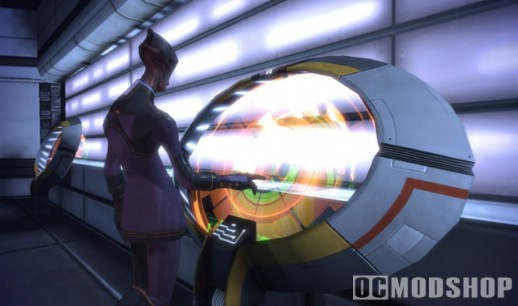
New equipment can be acquired in a number of ways. Every time you defeat an enemy you gain XP, money, and items. These new items are placed in your inventory. You can also purchase items from stores or take them from containers you find throughout the game. Stores also allow you to buy upgrades in the form of increased grenade or medi-gel capacity.
Medi-gel is a universal healing substance that restores the health of all squad members when used. Press the Y button in combat to use Medi-gel on your squad.
There is an inventory limit of 150 items so it is important to keep your inventory as empty as possible. Any weapons, armors, or upgrades you or your squad aren’t using can be sold for extra money or turned into omni-gel. Omni-gel is useful for opening locked containers and decrypting certain electronic devices.
SQUAD MANAGEMENT
Selecting Squad from the Mission Computer menu gives a variety of information about your character and the other characters in your squad, including name, class, appearance, level, and use of talent points.
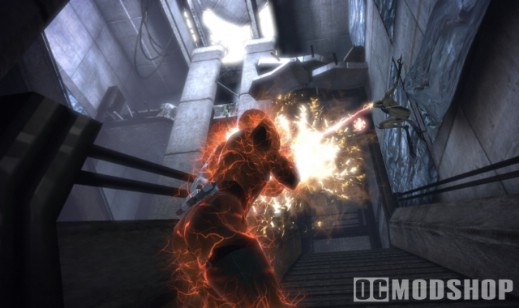
Whenever you gain enough experience to gain a new level, all characters are granted talent points that can be spent to upgrade certain abilities or to unlock new ones. Assigning points to a given talent lets you improve combat, tech, and biotic abilities, as well as unlock and improve special abilities for each talent.
Commander Shepard also has Paragon and Renegade meters shown on this screen. These meters track your choices made throughout the game. Generous choices result in Paragon points, Ruthless choices result in Renegade points. Either path is acceptable, as you gain bonuses for filling either meter.
Paragon: The Paragon scale is colored blue and impacts the Charm
ability.
                  05% Bonus: Opens two Charm slots
                             Gives one Charm point
                  25% Bonus: Opens two Charm slots
                             Gives one Charm point
                             10% bonus to First Aid cooldown
                  50% Bonus: 10% bonus to health
                  75% Bonus: Unlocks Xbox Achievement
                             Opens two Charm slots
                             Gives one Charm point
                             5% bonus to all talent cooldowns
Renegade: The Renegade scale is colored red and impacts the
Intimidate ability.
                  05% Bonus: Opens two Intimidate slots
                             Gives one Intimidate point
                  25% Bonus: Opens two Intimidate slots
                             Gives one Intimidate point
                             10% bonus to First Aid cooldown
                  50% Bonus: Regenerate +1 health per second
                  75% Bonus: Unlocks Xbox Achievement
                             Opens two Intimidate slots
                             Gives one Intimidate point
                             5% bonus to damage duration
UNCHARTED WORLDS
When you have control of the Normandy, you can use it to travel to many uncharted worlds with mysterious anomalies. To discover the nature of these anomalies, you must explore these planets.
When you land on a planet, you should first check your Map. This often reveals the locations of many known points of interest. Anomalies–marked with a question mark–usually indicate something interesting to explore. Furthermore, there are often several deposits of rare materials that can be surveyed on a planet’s surface.
When you are done exploring a planet, simply press the X button while in the Mako to return to the Normandy
USING THE MAKO
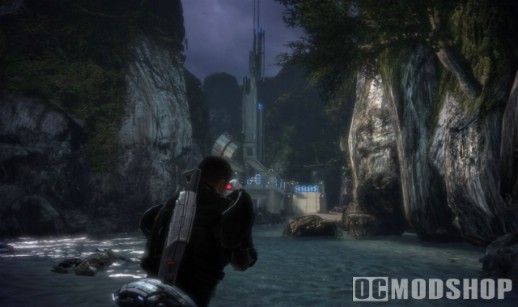
The SSV Normandy comes with the M35 Mako, an infantry fighting vehicle that can be used to cover long distances quickly and to provide cover and direct fire support. You can use the A button to enter the Mako, and the B button to exit it.
The Mako is equipped with a 155mm machine gun for dealing with infantry, as well as a cannon for destroying more heavily armored opposition. It also comes with jump jets that can be activated using the A button, which allow the operator to deftly jump over incoming enemy rockets.
If the Mako becomes damaged from enemy fire, press the Y button to repair it. Doing so uses 15 omni-gel and requires the Mako to be stationary.



1 comment
is this way to find ALL codex pages or only some of them
Comments are closed.